





Ads

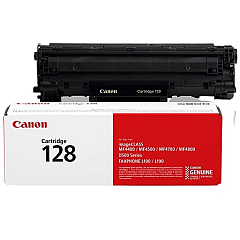
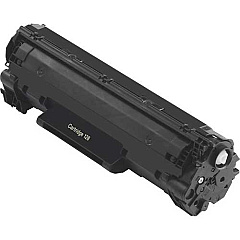
Canon imageCLASS MF4420 Black Toner Cartridges

Enhance your printing experience with genuine Canon imageCLASS MF4420 Toner Cartridges. These high-quality cartridges are designed specifically for the Canon imageCLASS MF4420 printer, ensuring optimal performance and crisp, professional results. The Canon 128 Black Toner Cartridge (3500B001) is the perfect choice for businesses, educational institutions, government offices, and healthcare facilities that demand reliable, high-volume printing. With a yield of up to 2,100 pages, this cartridge offers excellent value for money while maintaining the superior print quality Canon is known for. Easy to install and compatible with your Canon imageCLASS MF4420 printer, these toner cartridges deliver consistent, smudge-free text and graphics. Choose genuine Canon toner cartridges to protect your printer's warranty and ensure optimal performance, page after page.

Canon imageCLASS MF4420 Printers Supplies FAQs

  • What is the page yield of the Canon 128 Black Toner Cartridge?

    The Canon 128 Black Toner Cartridge has a page yield of up to 2,100 pages.

  • Is this toner cartridge compatible with other Canon printers?

    This toner cartridge is specifically designed for the Canon imageCLASS MF4420 printer. It may be compatible with other models, but it's best to check your printer's specifications.

  • Are these genuine Canon toner cartridges?

    Yes, these are genuine Canon toner cartridges, ensuring optimal performance and print quality.

  • How long does the toner cartridge typically last?

    The lifespan of the cartridge depends on your printing volume, but it can last several months with average use.

  • Can I use third-party toner cartridges in my Canon imageCLASS MF4420?

    While third-party cartridges may work, using genuine Canon toner cartridges is recommended to maintain print quality and protect your printer's warranty.

  • How do I install the toner cartridge in my Canon imageCLASS MF4420?

    Installation is simple. Open the printer's front cover, remove the old cartridge, and insert the new one until it clicks into place. Refer to your printer's manual for detailed instructions.

  • What should I do with my empty toner cartridge?

    Canon offers a recycling program for empty toner cartridges. You can also check with local office supply stores for recycling options.

  • How can I tell if my toner cartridge is running low?

    Your printer will typically display a low toner warning on its control panel or through your computer's print dialog box.

  • Can I shake the toner cartridge to extend its life?

    Gently shaking the cartridge can help redistribute toner and may temporarily extend its life, but it's not a long-term solution.

  • Does using genuine Canon toner cartridges affect my printer's warranty?

    Using genuine Canon toner cartridges helps maintain your printer's warranty. Using third-party cartridges may void the warranty in some cases.

Warehouse Locations

Policy & Agreement | Copyright © 1995-2026 BlueDogInk.com
