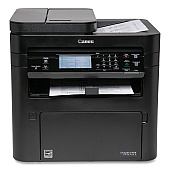
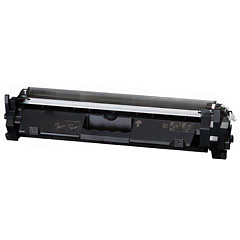










Canon imageCLASS MF267DW II Black Toner Cartridges

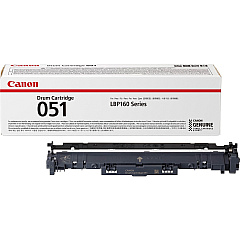
Canon imageCLASS MF267DW II Drum Units

Canon imageCLASS MF267DW II Copy Paper

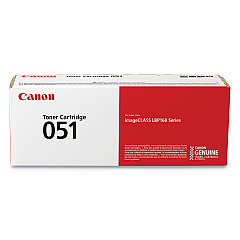
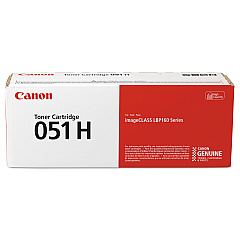
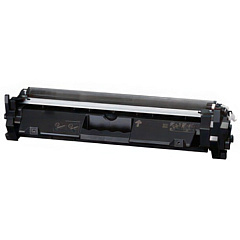
Ensure optimal performance for your Canon imageCLASS MF267DW II with our premium toner cartridges. These Canon imageCLASS MF267DW II Toner Cartridges are designed to deliver exceptional print quality and reliability. Choose from the standard Canon 051 Black Toner Cartridge (2168C001) for everyday printing needs, or opt for the Canon 051H High Capacity Black Toner Cartridge (2169C001) for extended print runs and cost-effective operation. The Canon 051 Drum Cartridge completes the set, ensuring crisp, clear images throughout the cartridge's lifespan. These genuine Canon supplies are engineered to work seamlessly with your MF267DW II printer, providing consistent, professional results for all your business, educational, or healthcare documentation needs. With our high-quality toner cartridges, you can count on sharp text, bold graphics, and long-lasting prints that make a lasting impression.

Canon imageCLASS MF267DW II Toner Cartridges FAQs

  • What is the page yield for the Canon 051 Black Toner Cartridge?

    The Canon 051 Black Toner Cartridge has an approximate yield of 1,700 pages.

  • How many pages can the Canon 051H High Capacity Black Toner Cartridge print?

    The Canon 051H High Capacity Black Toner Cartridge can print approximately 4,100 pages.

  • Are these toner cartridges compatible with other Canon printers?

    These cartridges are specifically designed for the Canon imageCLASS MF267DW II. Always check your printer's compatibility before purchasing.

  • How often should I replace the drum cartridge?

    The Canon 051 Drum Cartridge typically needs replacement after processing about 23,000 pages, but this can vary based on usage.

  • Can I use third-party toner cartridges in my Canon imageCLASS MF267DW II?

    While third-party cartridges may work, using genuine Canon cartridges ensures the best print quality and prevents potential damage to your printer.

  • How do I install a new toner cartridge in my Canon imageCLASS MF267DW II?

    Open the front cover, remove the old cartridge, unpack the new one, and insert it until it clicks into place. Close the cover to complete installation.

  • What's the difference between the standard and high-capacity toner cartridges?

    The high-capacity (051H) cartridge yields more pages than the standard (051) cartridge, making it more economical for high-volume printing.

  • How can I tell when it's time to replace my toner cartridge?

    Your printer will display a message when toner is low. You may also notice faded prints or streaks on your pages.

  • Are these toner cartridges environmentally friendly?

    Canon designs its cartridges with recycling in mind. Many components can be recycled through Canon's cartridge recycling program.

  • What's the shelf life of unopened toner cartridges?

    Unopened toner cartridges typically have a shelf life of about 2 years when stored in a cool, dry place away from direct sunlight.

Warehouse Locations

Policy & Agreement | Copyright © 1995-2026 BlueDogInk.com
