









Ads

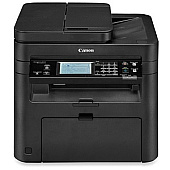
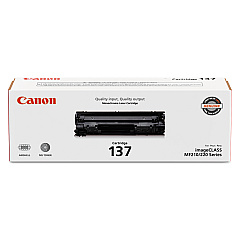
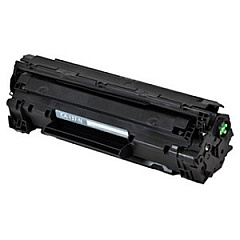
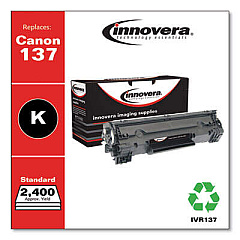
Canon imageCLASS MF227dw Black Toner Cartridges

Canon imageCLASS MF227dw Toner Set

Canon imageCLASS MF227dw Copy Paper

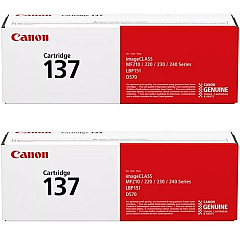
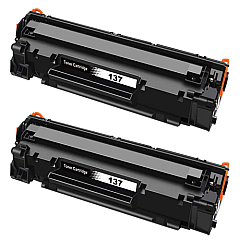
Enhance your printing experience with genuine Canon imageCLASS MF227dw Toner Cartridges. These high-quality cartridges are designed specifically for the MF227dw printer, ensuring optimal performance and crisp, professional results. Choose from the Canon 137 Black Toner Cartridge (9435B001) for individual replacement or opt for the cost-effective Canon Cartridge 137 2-Pack Black Toner Cartridges for extended use. Each cartridge delivers exceptional print quality, producing sharp text and clear images for all your business, educational, or healthcare documents. With a focus on reliability and efficiency, these toner cartridges help minimize downtime and maximize productivity. Whether you're printing reports, presentations, or everyday correspondence, Canon imageCLASS MF227dw Toner Cartridges provide the consistency and quality you need to make a lasting impression.

Canon imageCLASS MF227dw Toner Cartridges FAQs

  • What is the page yield for the Canon 137 Black Toner Cartridge?

    The Canon 137 Black Toner Cartridge typically yields approximately 2,400 pages.

  • Are these toner cartridges compatible with other Canon printers?

    These cartridges are specifically designed for the Canon imageCLASS MF227dw printer. Always check your printer's compatibility before purchasing.

  • How long do unopened toner cartridges last?

    Unopened toner cartridges can last up to two years if stored properly in a cool, dry place.

  • Is it more cost-effective to buy the 2-pack?

    Yes, purchasing the 2-pack is generally more cost-effective than buying individual cartridges, especially for high-volume printing.

  • Are these genuine Canon toner cartridges?

    Yes, these are genuine Canon toner cartridges, ensuring the best quality and compatibility with your printer.

  • How do I install the toner cartridge in my MF227dw printer?

    To install, open the front cover, remove the old cartridge, unpack the new one, and insert it until it clicks into place. Close the cover to complete installation.

  • Can I recycle used toner cartridges?

    Yes, Canon offers a recycling program for used toner cartridges. Check their website for details on how to participate.

  • What should I do if I experience print quality issues?

    If you experience print quality issues, try cleaning the printer's internal components and ensuring the toner cartridge is properly installed. If problems persist, contact Canon support.

  • Are these toner cartridges covered by a warranty?

    Yes, genuine Canon toner cartridges are typically covered by a limited warranty. Check the packaging or Canon's website for specific warranty information.

  • How can I tell if my toner cartridge is running low?

    Your printer will display a low toner warning on its LCD screen. You may also notice a gradual decrease in print quality as the toner depletes.

Warehouse Locations

Policy & Agreement | Copyright © 1995-2026 BlueDogInk.com
