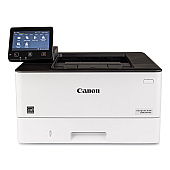
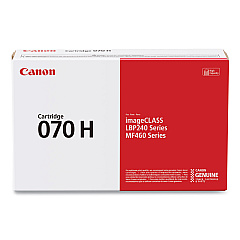
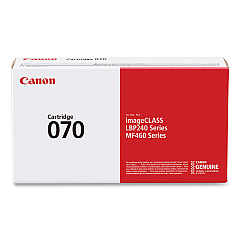
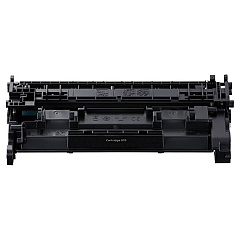
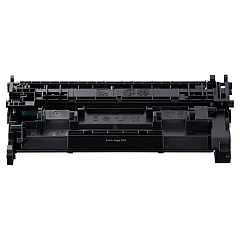





Canon imageCLASS LBP246dw Black Toner Cartridges

Ensure optimal performance for your Canon imageCLASS LBP246dw printer with our premium toner cartridges. Our selection of Canon imageCLASS LBP246dw Toner Cartridges includes the reliable Canon 070 Black Toner Cartridge (5639C001) for standard printing needs and the Canon 070H High-Capacity Toner Cartridge (5640C001) for high-volume printing environments. These genuine Canon toner cartridges deliver crisp, professional-quality prints with deep blacks and sharp text. Designed specifically for the LBP246dw model, these cartridges offer seamless compatibility and consistent results. Whether you're printing business documents, reports, or marketing materials, our toner cartridges ensure your prints make a lasting impression. Choose from standard or high-capacity options to suit your printing volume and budget. Experience the difference in print quality and reliability with our genuine Canon toner cartridges for your imageCLASS LBP246dw printer.

Canon imageCLASS LBP246dw Toner Cartridges FAQs

  • What is the page yield for the Canon 070 Black Toner Cartridge?

    The Canon 070 Black Toner Cartridge has a page yield of approximately 5,000 pages.

  • How many pages can the Canon 070H High-Capacity Toner Cartridge print?

    The Canon 070H High-Capacity Toner Cartridge can print approximately 20,000 pages.

  • Are these toner cartridges compatible with other Canon printer models?

    These toner cartridges are specifically designed for the Canon imageCLASS LBP246dw printer and may not be compatible with other models.

  • How long do these toner cartridges typically last?

    The lifespan of the toner cartridges depends on your printing volume. Under normal use, they can last several months to a year.

  • Can I use third-party toner cartridges in my Canon imageCLASS LBP246dw printer?

    While third-party cartridges may work, using genuine Canon toner cartridges ensures optimal print quality and prevents potential damage to your printer.

  • How do I install a new toner cartridge in my Canon imageCLASS LBP246dw printer?

    To install a new cartridge, open the printer's front cover, remove the old cartridge, unpack the new one, and insert it until it clicks into place. Then close the cover.

  • What should I do with my empty toner cartridges?

    Canon offers a recycling program for empty toner cartridges. You can also check with local office supply stores for recycling options.

  • How can I tell when my toner cartridge is running low?

    Your printer will display a low toner message on its control panel or through your computer's print dialog when the cartridge is running low.

  • Are these toner cartridges covered by a warranty?

    Yes, genuine Canon toner cartridges are covered by a limited warranty against defects in materials and workmanship.

  • Can I store unused toner cartridges for later use?

    Yes, you can store unused toner cartridges for future use. Keep them in their original packaging in a cool, dry place away from direct sunlight.

Warehouse Locations

Policy & Agreement | Copyright © 1995-2026 BlueDogInk.com
