





Ads

Canon imageCLASS LBP-212 dw Black Toner Cartridges

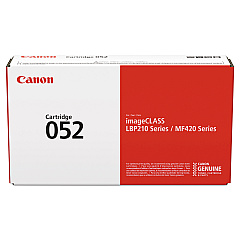
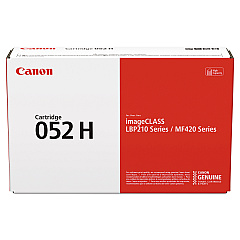
Ensure optimal performance for your Canon imageCLASS LBP-212 dw printer with our high-quality Canon imageCLASS LBP-212 dw Toner Cartridges. We offer two reliable options to meet your printing needs: the standard Canon 052 Black Toner Cartridge and the high-yield Canon 052H Black Toner Cartridge. These genuine Canon toner cartridges deliver crisp, professional-quality text and graphics for all your business, educational, or personal documents. The standard 052 cartridge is perfect for everyday printing, while the 052H provides extended page yield for high-volume printing environments. Both cartridges are designed to work seamlessly with your LBP-212 dw printer, ensuring consistent results and minimizing downtime. Choose the cartridge that best suits your printing volume and budget, and experience the superior quality and reliability that Canon toner cartridges are known for.

Canon imageCLASS LBP-212 dw Toner Cartridges FAQs

  • What is the page yield for the Canon 052 Black Toner Cartridge?

    The Canon 052 Black Toner Cartridge has a page yield of approximately 3,100 pages.

  • What is the page yield for the Canon 052H Black Toner Cartridge?

    The Canon 052H Black Toner Cartridge has a higher page yield of approximately 9,200 pages.

  • Are these toner cartridges compatible with other Canon printers?

    These cartridges are specifically designed for the Canon imageCLASS LBP-212 dw printer. Always check your printer's manual for compatible cartridge models.

  • How long do these toner cartridges typically last?

    The lifespan of a toner cartridge depends on your printing volume. Under normal use, they can last several months to a year.

  • Can I use third-party or refilled toner cartridges in my Canon LBP-212 dw printer?

    While third-party cartridges may work, using genuine Canon toner cartridges ensures the best print quality and prevents potential damage to your printer.

  • How do I install a new toner cartridge in my Canon LBP-212 dw printer?

    Refer to your printer's user manual for specific instructions, but generally, you'll need to open the printer's front cover, remove the old cartridge, and insert the new one until it clicks into place.

  • What should I do with my empty toner cartridges?

    Canon offers a recycling program for empty toner cartridges. You can also check with local office supply stores or recycling centers for proper disposal options.

  • How can I extend the life of my toner cartridge?

    To extend cartridge life, use draft mode for non-critical prints, print in black and white when possible, and avoid printing unnecessary pages.

  • Do these toner cartridges come with a warranty?

    Yes, genuine Canon toner cartridges typically come with a warranty against defects in materials and workmanship.

  • How do I know when it's time to replace my toner cartridge?

    Your printer will display a low toner warning. You may also notice a decrease in print quality, such as faded or streaky prints.

Warehouse Locations

Policy & Agreement | Copyright © 1995-2026 BlueDogInk.com
