





Ads

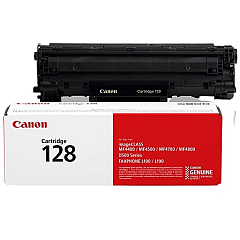
Canon imageCLASS D560 Black Toner Cartridges

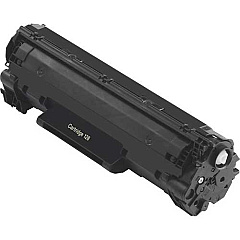
Ensure optimal performance for your Canon imageCLASS D560 printer with genuine Canon imageCLASS D560 Toner Cartridges. The Canon 128 Black Toner Cartridge (3500B001) is specifically designed for this model, delivering crisp, professional-quality prints for your business, educational, or healthcare needs. With a high yield of up to 2,100 pages, this cartridge offers excellent value and reduces the frequency of replacements. The precision-engineered toner particles produce sharp text and clear graphics, maintaining consistent quality throughout the cartridge's life. Compatible with various Canon imageCLASS models, including the D560, this toner cartridge is an essential component for maintaining your printer's efficiency and reliability. Choose authentic Canon toner cartridges to protect your printer's warranty and ensure the best possible output for all your printing tasks.

Canon imageCLASS D560 Toner Cartridges FAQs

  • What is the page yield of the Canon 128 Black Toner Cartridge?

    The Canon 128 Black Toner Cartridge has a yield of up to 2,100 pages.

  • Is this toner cartridge compatible with other Canon printers?

    Yes, the Canon 128 Black Toner Cartridge is compatible with various Canon imageCLASS models, including the D560.

  • How can I ensure I'm buying a genuine Canon toner cartridge?

    Purchase from authorized retailers or directly from Canon to ensure you're getting a genuine product.

  • Will using non-Canon toner cartridges void my printer's warranty?

    Using non-Canon toner cartridges may potentially void your printer's warranty. It's best to use genuine Canon products.

  • How long does the Canon 128 Black Toner Cartridge typically last?

    The lifespan depends on usage, but with an average of 5% page coverage, it should last for about 2,100 pages.

  • Can I recycle the used toner cartridge?

    Yes, Canon offers a recycling program for used toner cartridges. Check their website for details.

  • How do I install the Canon 128 Black Toner Cartridge in my D560 printer?

    Refer to your printer's user manual for specific instructions, but generally, you'll need to open the front cover, remove the old cartridge, and insert the new one until it clicks into place.

  • What should I do if I experience print quality issues with this toner cartridge?

    First, ensure the cartridge is properly installed. If issues persist, try printing a test page or cleaning the printer. If problems continue, contact Canon support.

  • Is it normal for the toner cartridge to make noise during printing?

    Some noise is normal during printing. However, if you hear unusual or loud noises, check the cartridge installation or contact Canon support.

  • Can I store unused toner cartridges for later use?

    Yes, store unused cartridges in a cool, dry place away from direct sunlight. Keep them in their original packaging until ready for use.

Warehouse Locations

Policy & Agreement | Copyright © 1995-2026 BlueDogInk.com
