





Ads

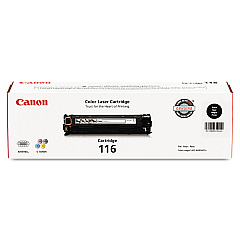
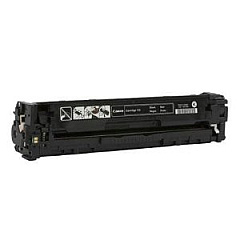
Canon i-SENSYS MF8050 Cn Black Toner Cartridges

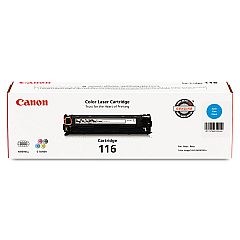
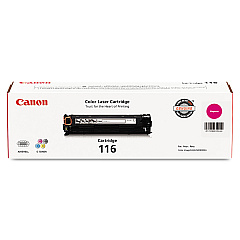
Canon i-SENSYS MF8050 Cn Color Toner Cartridges

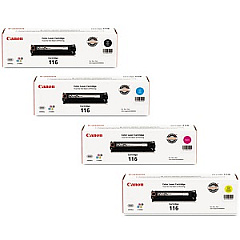
Canon i-SENSYS MF8050 Cn Toner Set

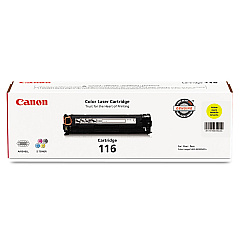
Enhance your printing experience with genuine Canon i-SENSYS MF8050 Cn Toner Cartridges. These high-quality cartridges ensure crisp, vibrant prints for your business, educational, or healthcare needs. The Canon 116 series offers a range of colors including Black, Cyan, Magenta, and Yellow, allowing for versatile printing options. For maximum convenience, consider the Canon 116 Toner Cartridge Set, which includes all four colors. These cartridges are designed specifically for the Canon i-SENSYS MF8050 Cn printer, guaranteeing optimal performance and longevity. With their reliable output and cost-effective yield, these toner cartridges are perfect for high-volume printing environments. Whether you're producing important documents, colorful presentations, or detailed reports, Canon i-SENSYS MF8050 Cn Toner Cartridges deliver professional results every time. Invest in quality and efficiency for your printing needs with these genuine Canon supplies.

Canon i-SENSYS MF8050 Cn Toner Cartridges FAQs

  • How long do Canon i-SENSYS MF8050 Cn Toner Cartridges typically last?

    The lifespan of these cartridges varies depending on usage, but they generally last for about 2,300 pages for black and 1,500 pages for each color cartridge at 5% coverage.

  • Are these toner cartridges compatible with other Canon printers?

    These cartridges are specifically designed for the Canon i-SENSYS MF8050 Cn printer. They may not be compatible with other models.

  • Can I use third-party toner cartridges in my Canon i-SENSYS MF8050 Cn?

    While third-party cartridges may work, using genuine Canon cartridges ensures optimal print quality and prevents potential damage to your printer.

  • How do I install the toner cartridges in my Canon i-SENSYS MF8050 Cn?

    Open the front cover, remove the old cartridge, unpack the new one, and insert it until it clicks into place. Repeat for each color.

  • What's the difference between the individual cartridges and the toner cartridge set?

    Individual cartridges allow you to replace only the color you need, while the set includes all four colors for convenient replacement of all cartridges at once.

  • How can I tell when it's time to replace my toner cartridges?

    Your printer will display a message when toner is low. You may also notice a decrease in print quality or faded prints.

  • Are these toner cartridges environmentally friendly?

    Canon offers a recycling program for used toner cartridges, promoting environmental sustainability.

  • Can I store unused toner cartridges for later use?

    Yes, store them in a cool, dry place away from direct sunlight. Properly stored cartridges can last up to two years.

  • What should I do if I experience print quality issues with new cartridges?

    Try cleaning the print head and ensuring the cartridges are properly installed. If issues persist, contact Canon support.

  • Is there a warranty on these toner cartridges?

    Yes, genuine Canon toner cartridges come with a warranty against defects in materials and workmanship.

Warehouse Locations

Policy & Agreement | Copyright © 1995-2026 BlueDogInk.com
