





Ads

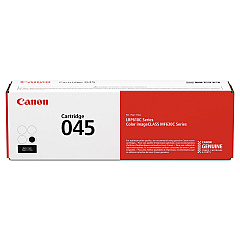
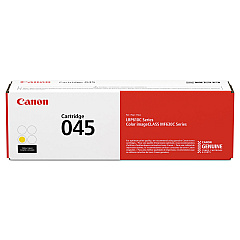
Canon i-SENSYS MF633 Cdw Black Toner Cartridges

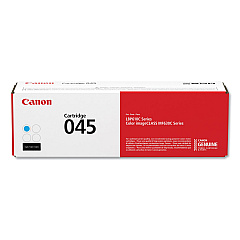
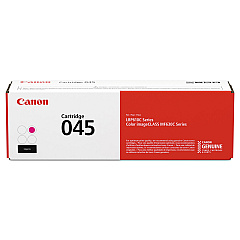
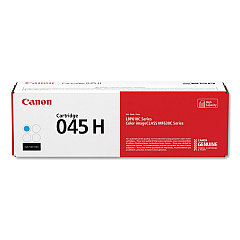
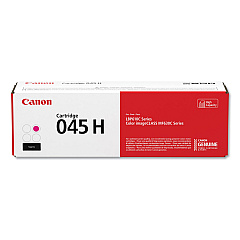
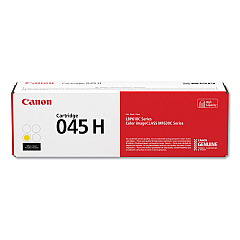
Canon i-SENSYS MF633 Cdw Color Toner Cartridges

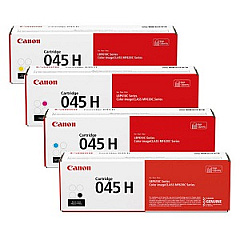
Canon i-SENSYS MF633 Cdw Toner Set

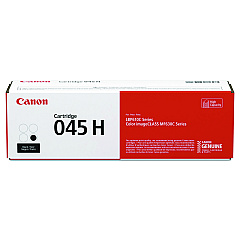
Enhance your printing experience with genuine Canon i-SENSYS MF633 Cdw Toner Cartridges. These high-quality cartridges ensure crisp, vibrant prints for your business, educational, or healthcare needs. Choose from a range of options including standard yield Canon 045 cartridges in black, cyan, magenta, and yellow, or opt for the high-yield Canon 045H series for increased efficiency. The 045H Toner Cartridge Set offers a convenient all-in-one solution for busy offices. Each cartridge is designed to deliver exceptional print quality, reliability, and longevity, maximizing your printer's performance. Whether you're producing professional documents, colorful presentations, or detailed images, these toner cartridges provide consistent, superior results. Trust in Canon's advanced technology to keep your i-SENSYS MF633 Cdw operating at peak efficiency, reducing downtime and ensuring your printing needs are always met with precision and excellence.

Canon i-SENSYS MF633 Cdw Toner Cartridges FAQs

  • What is the difference between Canon 045 and 045H toner cartridges?

    The main difference is yield capacity. Canon 045H cartridges are high-yield versions, offering more prints per cartridge compared to the standard 045 series.

  • Are these toner cartridges compatible with other Canon printers?

    These cartridges are specifically designed for the Canon i-SENSYS MF633 Cdw. Always check your printer's compatibility before purchasing toner cartridges.

  • How many pages can I print with a Canon 045H cartridge?

    Page yield varies by color, but typically, a Canon 045H black cartridge yields about 2,800 pages, while color cartridges yield around 2,200 pages.

  • Can I use third-party toner cartridges in my Canon i-SENSYS MF633 Cdw?

    While third-party cartridges may work, using genuine Canon cartridges ensures optimal print quality and prevents potential damage to your printer.

  • How do I know when it's time to replace my toner cartridge?

    Your printer will typically display a low toner warning. You may also notice a decrease in print quality or faded prints.

  • Are these toner cartridges environmentally friendly?

    Canon designs its cartridges with environmental considerations in mind and offers recycling programs for used cartridges.

  • What's included in the Canon 045H Toner Cartridge Set?

    The set typically includes one each of black, cyan, magenta, and yellow high-yield toner cartridges.

  • How long do unopened toner cartridges last?

    Unopened toner cartridges can last up to two years if stored properly in a cool, dry place away from direct sunlight.

  • Can I use Canon 045 and 045H cartridges interchangeably in my printer?

    Yes, both Canon 045 and 045H cartridges are compatible with the i-SENSYS MF633 Cdw. The choice depends on your printing volume needs.

  • How do I install a new toner cartridge in my Canon i-SENSYS MF633 Cdw?

    Open the front cover, remove the old cartridge, unpack the new one, shake it gently, remove the protective tape, and insert it into the corresponding slot until it clicks into place.

Warehouse Locations

Policy & Agreement | Copyright © 1995-2026 BlueDogInk.com
