





Ads

Canon i-SENSYS MF4780 w Black Toner Cartridges

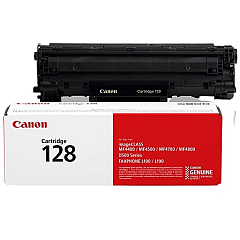
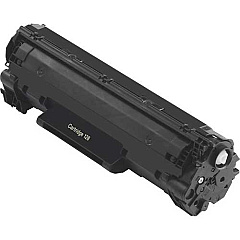
Enhance your printing experience with Canon i-SENSYS MF4780 w Toner Cartridges, designed to deliver exceptional quality and reliability. This versatile multifunction printer is perfect for businesses, educational institutions, government offices, healthcare facilities, and wholesale operations. The Canon i-SENSYS MF4780 w utilizes the high-capacity Canon 128 Black Toner Cartridge (3500B001), ensuring crisp, professional-looking documents with every print. With its efficient performance and cost-effective toner solution, this printer is ideal for high-volume printing environments. The genuine Canon toner cartridges are engineered to work seamlessly with your i-SENSYS MF4780 w, guaranteeing optimal print quality and longevity. Whether you're printing reports, presentations, or everyday documents, trust in the reliability and superior output of Canon i-SENSYS MF4780 w Toner Cartridges to meet all your printing needs.

Canon i-SENSYS MF4780 w Toner Cartridges FAQs

  • What is the page yield of the Canon 128 Black Toner Cartridge?

    The Canon 128 Black Toner Cartridge (3500B001) has a page yield of approximately 2,100 pages at 5% coverage.

  • Is the Canon 128 toner cartridge compatible with other printer models?

    The Canon 128 toner cartridge is compatible with several Canon printer models, including the i-SENSYS MF4780 w and others in the i-SENSYS series.

  • How often should I replace the toner cartridge in my Canon i-SENSYS MF4780 w?

    The frequency of replacement depends on your printing volume. Replace the cartridge when print quality diminishes or when the printer indicates low toner levels.

  • Can I use third-party toner cartridges in my Canon i-SENSYS MF4780 w?

    While third-party cartridges may work, using genuine Canon toner cartridges is recommended to ensure optimal print quality and prevent potential damage to your printer.

  • How do I install a new toner cartridge in the Canon i-SENSYS MF4780 w?

    Open the front cover, remove the old cartridge, unpack the new one, and insert it into the printer until it clicks into place. Close the cover to complete installation.

  • What should I do with my used toner cartridges?

    Canon offers a recycling program for used toner cartridges. You can return them to Canon or participating retailers for environmentally friendly disposal.

  • How can I extend the life of my toner cartridge?

    To extend cartridge life, use draft mode for non-critical prints, print in grayscale when possible, and avoid printing unnecessary pages.

  • Does the Canon i-SENSYS MF4780 w support automatic duplex printing?

    Yes, the Canon i-SENSYS MF4780 w supports automatic duplex printing, which can help save paper and reduce printing costs.

  • What is the print speed of the Canon i-SENSYS MF4780 w?

    The Canon i-SENSYS MF4780 w has a print speed of up to 25 pages per minute for black and white documents.

  • Is the Canon i-SENSYS MF4780 w wireless-enabled?

    Yes, the Canon i-SENSYS MF4780 w is wireless-enabled, allowing for convenient printing from multiple devices without the need for direct connections.

Warehouse Locations

Policy & Agreement | Copyright © 1995-2026 BlueDogInk.com
