





Ads

Canon i-SENSYS MF4750 Black Toner Cartridges

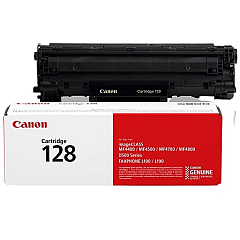
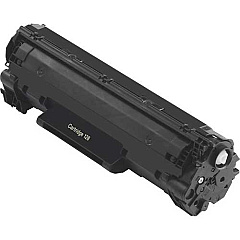
Ensure optimal performance for your Canon i-SENSYS MF4750 with genuine Canon i-SENSYS MF4750 Toner Cartridges. These high-quality cartridges are designed specifically for your multifunction printer, delivering crisp, professional-grade prints for all your business, educational, or healthcare needs. The Canon 128 Black Toner Cartridge (3500B001) is the perfect choice for this model, offering a generous yield of up to 2,100 pages. This means fewer cartridge changes and improved cost-efficiency for your organization. Whether you're printing important documents, reports, or correspondence, these toner cartridges ensure consistent, smudge-free results every time. Don't compromise on quality – choose authentic Canon toner cartridges to maintain your printer's performance and extend its lifespan. With easy installation and reliable output, these cartridges are an essential investment for any office or institution using the Canon i-SENSYS MF4750 printer.

Canon i-SENSYS MF4750 Toner Cartridges FAQs

  • What is the page yield of the Canon 128 Black Toner Cartridge?

    The Canon 128 Black Toner Cartridge (3500B001) has a page yield of up to 2,100 pages.

  • Is this toner cartridge compatible with other Canon printers?

    The Canon 128 Black Toner Cartridge is specifically designed for the Canon i-SENSYS MF4750 and may be compatible with some other Canon models. Always check your printer's compatibility before purchasing.

  • How do I install the toner cartridge in my Canon i-SENSYS MF4750?

    To install, open the front cover of the printer, remove the old cartridge, unpack the new one, and insert it until it clicks into place. Close the cover to complete installation.

  • Are these genuine Canon toner cartridges?

    Yes, the Canon 128 Black Toner Cartridge (3500B001) is a genuine Canon product designed for optimal performance with your i-SENSYS MF4750 printer.

  • How long does the toner cartridge typically last?

    The lifespan of the cartridge depends on your printing volume, but with a yield of 2,100 pages, it should last several months for average use.

  • Can I use third-party or refilled cartridges in my Canon i-SENSYS MF4750?

    While third-party cartridges may work, using genuine Canon cartridges ensures the best print quality and helps maintain your printer's warranty.

  • How can I tell when my toner cartridge needs replacement?

    Your printer will display a low toner warning. You may also notice a decrease in print quality or faded text.

  • Is this toner cartridge environmentally friendly?

    Canon designs its cartridges with environmental considerations in mind and offers recycling programs for used cartridges.

  • What should I do with my old toner cartridge?

    Canon offers a cartridge recycling program. You can also check with local office supply stores or recycling centers for proper disposal options.

  • Does this toner cartridge come with a warranty?

    Yes, genuine Canon toner cartridges typically come with a warranty against defects in materials and workmanship under normal use.

Warehouse Locations

Policy & Agreement | Copyright © 1995-2026 BlueDogInk.com
