





Ads

Canon i-SENSYS MF232 w Black Toner Cartridges

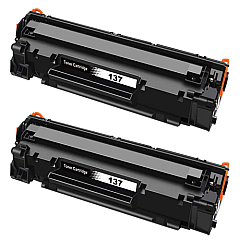
Canon i-SENSYS MF232 w Toner Set

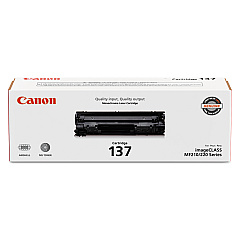
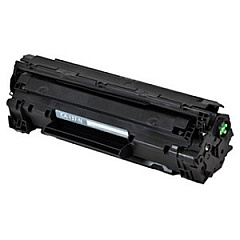
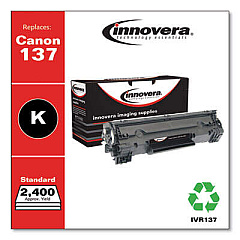
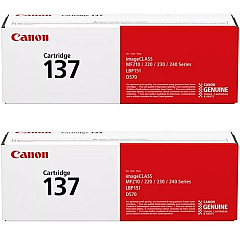
Enhance your printing experience with Canon i-SENSYS MF232 w Toner Cartridges, designed to deliver exceptional quality and reliability. This versatile printer is perfect for businesses, educational institutions, and healthcare facilities seeking high-performance output. Compatible with the Canon 137 Black Toner Cartridge (9435B001), these cartridges ensure crisp, professional-looking documents every time. For added convenience, consider the Canon Cartridge 137 2-Pack Black Toner Cartridges, which provide extended printing capacity and value. The Canon Cartridge 137 Black Toner Cartridge (9435B001AA) is also available individually, offering flexibility in your toner management. With these genuine Canon supplies, you can trust that your i-SENSYS MF232 w will consistently produce sharp text and clear images, meeting the demands of your busy work environment while maintaining cost-effectiveness and efficiency.

Canon i-SENSYS MF232 w Toner Cartridges FAQs

  • What is the page yield of the Canon 137 Black Toner Cartridge?

    The Canon 137 Black Toner Cartridge typically yields approximately 2,400 pages.

  • Is the Canon Cartridge 137 2-Pack more cost-effective than buying individual cartridges?

    Yes, the 2-Pack option generally offers better value and is more cost-effective than purchasing individual cartridges.

  • Are these toner cartridges compatible with other Canon printer models?

    The Canon 137 toner cartridges are designed specifically for the i-SENSYS MF232 w and other compatible models. Always check your printer's compatibility before purchasing.

  • How long do unopened toner cartridges last?

    Unopened toner cartridges can last up to two years if stored properly in a cool, dry place away from direct sunlight.

  • Can I use third-party toner cartridges with the Canon i-SENSYS MF232 w?

    While third-party cartridges may work, using genuine Canon toner cartridges ensures optimal print quality and prevents potential damage to your printer.

  • How do I know when it's time to replace my toner cartridge?

    Your printer will typically display a low toner warning. You may also notice a decrease in print quality or faded text.

  • Is the Canon Cartridge 137 environmentally friendly?

    Canon has a cartridge recycling program in place, making it easy to responsibly dispose of used cartridges and reduce environmental impact.

  • How do I install a new toner cartridge in the Canon i-SENSYS MF232 w?

    Open the front cover, remove the old cartridge, unpack the new one, and insert it until it clicks into place. Close the cover to complete installation.

  • Can I buy a high-yield version of the Canon 137 toner cartridge?

    The Canon 137 is a standard yield cartridge. For this model, there isn't a high-yield version available.

  • What should I do if I experience print quality issues with my new toner cartridge?

    First, ensure the cartridge is properly installed. If issues persist, try printing a test page or cleaning the print head. If problems continue, contact Canon support for assistance.

Warehouse Locations

Policy & Agreement | Copyright © 1995-2026 BlueDogInk.com
