





Ads

Canon i-SENSYS MF211 Black Toner Cartridges

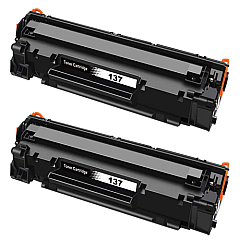
Canon i-SENSYS MF211 Toner Set

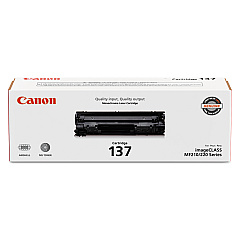
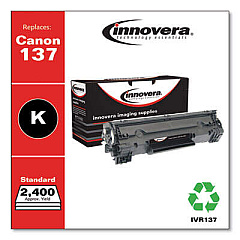
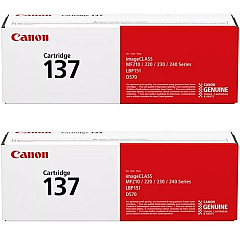
Ensure optimal performance for your Canon i-SENSYS MF211 with our premium Canon i-SENSYS MF211 Toner Cartridges. We offer a range of high-quality options, including the Canon 137 Black Toner Cartridge (9435B001), Canon Cartridge 137 2-Pack Black Toner Cartridges, and Canon Cartridge 137 Black Toner Cartridge (9435B001AA). These cartridges are designed to deliver crisp, clear prints with exceptional clarity and depth. Whether you're printing important business documents, educational materials, or healthcare records, our toner cartridges ensure professional results every time. With options for both single and double packs, you can choose the most cost-effective solution for your printing needs. Trust in the reliability and consistency of genuine Canon toner cartridges to keep your i-SENSYS MF211 running smoothly and efficiently, maximizing your productivity and minimizing downtime.

Canon i-SENSYS MF211 Toner Cartridges FAQs

  • What is the page yield of the Canon 137 Black Toner Cartridge?

    The Canon 137 Black Toner Cartridge typically yields approximately 2,400 pages.

  • Are these toner cartridges compatible with other Canon printers?

    These cartridges are specifically designed for the Canon i-SENSYS MF211. Always check your printer's compatibility before purchasing.

  • How long do these toner cartridges last?

    The lifespan of a toner cartridge depends on usage, but typically they can last 6-12 months under normal printing conditions.

  • Is it more cost-effective to buy the 2-pack?

    Yes, purchasing the 2-pack often provides better value for money, especially for high-volume users.

  • Are these genuine Canon toner cartridges?

    Yes, all toner cartridges listed are genuine Canon products, ensuring optimal performance and print quality.

  • What's the difference between 9435B001 and 9435B001AA?

    There is no functional difference. The 'AA' suffix is sometimes used for specific markets or packaging variations.

  • How do I install the toner cartridge in my Canon i-SENSYS MF211?

    Consult your printer's manual for specific instructions, but generally, you'll need to open the front cover, remove the old cartridge, and insert the new one until it clicks into place.

  • Can I recycle the used toner cartridges?

    Yes, Canon offers a recycling program for used toner cartridges. Check their website or contact them for details.

  • What should I do if I experience print quality issues?

    First, ensure you're using genuine Canon toner. If issues persist, try cleaning the printer's interior and print head. If problems continue, consult your printer's manual or contact Canon support.

  • Do these toner cartridges come with a warranty?

    Yes, genuine Canon toner cartridges typically come with a warranty. Check the packaging or contact the seller for specific warranty information.

Warehouse Locations

Policy & Agreement | Copyright © 1995-2026 BlueDogInk.com
