





Ads

Canon i-SENSYS LBP-212 dw Black Toner Cartridges

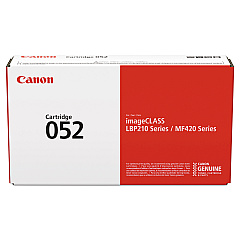
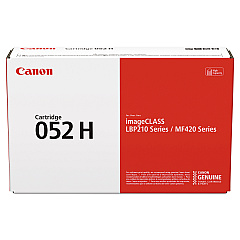
Ensure uninterrupted printing with high-quality Canon i-SENSYS LBP-212 dw Toner Cartridges. These reliable cartridges are designed to deliver crisp, professional-grade prints for your business, educational institution, or healthcare facility. Choose between the standard Canon 052 Black Toner Cartridge for everyday printing needs or opt for the high-yield Canon 052H Black Toner Cartridge to maximize efficiency and reduce replacement frequency. Both options guarantee exceptional print quality and consistency, maintaining the superior performance of your Canon i-SENSYS LBP-212 dw printer. With these genuine Canon toner cartridges, you'll experience fewer paper jams, reduced waste, and optimal print output. Whether you're printing important documents, reports, or presentations, these toner cartridges ensure your prints make a lasting impression. Invest in Canon i-SENSYS LBP-212 dw Toner Cartridges for reliable, cost-effective printing solutions that meet the demands of your busy work environment.

Canon i-SENSYS LBP-212 dw Toner Cartridges FAQs

  • What is the page yield for the Canon 052 Black Toner Cartridge?

    The Canon 052 Black Toner Cartridge has a page yield of approximately 3,100 pages.

  • What is the page yield for the Canon 052H Black Toner Cartridge?

    The Canon 052H Black Toner Cartridge has a higher page yield of approximately 9,200 pages.

  • Are these toner cartridges compatible with other Canon printers?

    These toner cartridges are specifically designed for the Canon i-SENSYS LBP-212 dw printer. Always check your printer's compatibility before purchasing.

  • How long do these toner cartridges typically last?

    The lifespan of the cartridges depends on your printing volume. With average use, the standard 052 cartridge may last several months, while the high-yield 052H could last even longer.

  • Can I use third-party toner cartridges in my Canon i-SENSYS LBP-212 dw printer?

    While third-party cartridges may work, using genuine Canon toner cartridges ensures optimal print quality and prevents potential damage to your printer.

  • How do I install the toner cartridge in my Canon i-SENSYS LBP-212 dw printer?

    To install, open the printer's front cover, remove the old cartridge, unpack the new one, and insert it until it clicks into place. Close the cover to complete installation.

  • Are these toner cartridges environmentally friendly?

    Canon is committed to environmental sustainability. These cartridges can be recycled through Canon's cartridge recycling program.

  • What should I do if I experience print quality issues with these cartridges?

    First, ensure the cartridge is properly installed. If issues persist, try printing a test page or cleaning the print head. If problems continue, contact Canon support.

  • Can I store unused toner cartridges for later use?

    Yes, you can store unused cartridges. Keep them in their original packaging, away from direct sunlight, and in a cool, dry place to maintain their quality.

  • Is there a warranty on these toner cartridges?

    Yes, genuine Canon toner cartridges typically come with a warranty. Check the packaging or Canon's website for specific warranty information.

Warehouse Locations

Policy & Agreement | Copyright © 1995-2026 BlueDogInk.com
