





Ads

Canon FAX L3000 Black Toner Cartridges

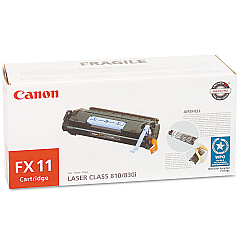
Ensure uninterrupted productivity with genuine Canon FAX L3000 Toner Cartridges. These high-quality cartridges are specifically designed for the Canon FAX L3000, delivering crisp, clear text and graphics for all your faxing needs. The Canon FX-11 Black Toner Cartridge offers exceptional yield and reliability, making it an ideal choice for busy offices, healthcare facilities, and educational institutions. With its superior formulation, this toner produces consistent, professional-quality output while minimizing waste and environmental impact. Easy to install and maintain, these cartridges help streamline your workflow and reduce downtime. Trust in the authentic Canon FAX L3000 Toner Cartridges to provide optimal performance and longevity for your fax machine, ensuring that your important documents are transmitted with clarity and precision every time. Invest in quality and efficiency with genuine Canon supplies for your FAX L3000.

Canon FAX L3000 Fax Machines Supplies FAQs

  • How long does a Canon FX-11 Black Toner Cartridge typically last?

    The Canon FX-11 Black Toner Cartridge typically yields around 4,500 pages at 5% coverage.

  • Are compatible toner cartridges available for the Canon FAX L3000?

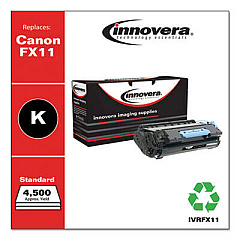
    While compatible cartridges may be available, using genuine Canon toner cartridges is recommended for optimal performance and to maintain your warranty.

  • How can I tell if my Canon FAX L3000 toner cartridge needs replacement?

    Your fax machine will display a 'Toner Low' or 'Replace Toner' message when the cartridge is running low or empty.

  • Is the Canon FX-11 toner cartridge recyclable?

    Yes, Canon offers a recycling program for used toner cartridges to minimize environmental impact.

  • Can I use the Canon FX-11 toner cartridge in other Canon fax machines?

    The Canon FX-11 is compatible with several Canon fax models, but always check your machine's specifications to ensure compatibility.

  • How should I store unused Canon FAX L3000 toner cartridges?

    Store cartridges in a cool, dry place away from direct sunlight and in their original packaging until ready for use.

  • What should I do if I experience print quality issues with my Canon FAX L3000?

    First, check if the toner cartridge needs replacement. If issues persist, clean the printer's internal components or consult the user manual for troubleshooting steps.

  • Are Canon FAX L3000 toner cartridges covered under warranty?

    Genuine Canon toner cartridges are typically covered under warranty for defects in materials and workmanship.

  • How often should I replace the drum unit in my Canon FAX L3000?

    The drum unit typically lasts for several toner cartridge changes. Refer to your user manual for specific replacement intervals.

  • Can I refill my Canon FX-11 toner cartridge instead of buying a new one?

    While refilling is possible, it's not recommended as it may compromise print quality and potentially damage your fax machine.

Warehouse Locations

Policy & Agreement | Copyright © 1995-2026 BlueDogInk.com
