





Ads

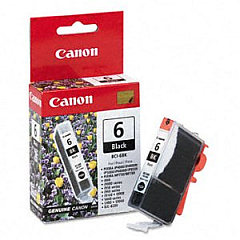
Canon BJC-8200 Black Ink Cartridges

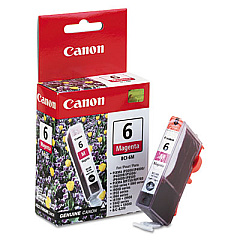
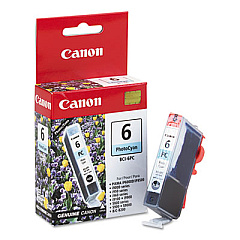
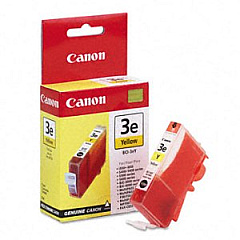
Canon BJC-8200 Color Ink Cartridges

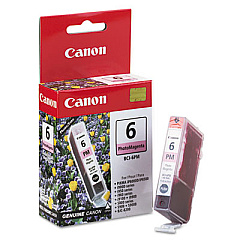
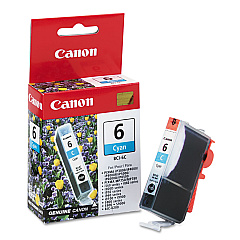
Enhance your printing experience with genuine Canon BJC-8200 Ink Cartridges. These high-quality cartridges are designed specifically for the Canon BJC-8200 printer, ensuring optimal performance and stunning results. The comprehensive set includes six individual colors: Black (BCI-6Bk), Cyan (BCI-6C), Magenta (BCI-6M), Photo Cyan (BCI-6PC), Photo Magenta (BCI-6PM), and Yellow (BCI-6Y). This versatile range allows for precise color mixing, producing vibrant images and crisp text. Whether you're printing professional documents or high-resolution photos, these cartridges deliver exceptional clarity and long-lasting results. With their reliable performance and easy installation, Canon BJC-8200 Ink Cartridges are the perfect choice for businesses, educational institutions, and photography enthusiasts alike. Invest in these premium cartridges to maximize your printer's potential and achieve superior print quality every time.

Canon BJC-8200 Printers Supplies FAQs

  • How long do Canon BJC-8200 Ink Cartridges typically last?

    The lifespan of these cartridges varies depending on usage, but they generally last for about 280-310 pages at 5% coverage.

  • Are these cartridges compatible with other Canon printers?

    These cartridges are specifically designed for the Canon BJC-8200 printer. They may not be compatible with other models.

  • Can I use third-party ink cartridges in my Canon BJC-8200 printer?

    While third-party cartridges may work, using genuine Canon cartridges ensures the best print quality and prevents potential damage to your printer.

  • How do I install these ink cartridges?

    Open the printer's front cover, remove the old cartridge, and insert the new one until it clicks into place. Refer to your printer's manual for detailed instructions.

  • What's the difference between regular and photo cyan/magenta cartridges?

    Photo cyan and magenta cartridges produce lighter shades, allowing for more nuanced color gradients in photo printing.

  • How should I store unused ink cartridges?

    Store them in a cool, dry place away from direct sunlight. Keep them in their original packaging until ready for use.

  • Can I recycle these ink cartridges?

    Yes, Canon offers a recycling program for used ink cartridges. Check their website for details on how to participate.

  • What should I do if my printer doesn't recognize the new cartridge?

    Try removing and reinserting the cartridge. If the issue persists, clean the cartridge contacts and try again. If problems continue, contact Canon support.

  • How often should I replace these ink cartridges?

    Replace cartridges when print quality diminishes or when your printer indicates low ink levels. This varies based on usage.

  • Are these cartridges sold individually or as a set?

    These cartridges can be purchased individually or as a set, depending on your needs and preferences.

Warehouse Locations

Policy & Agreement | Copyright © 1995-2026 BlueDogInk.com
