






Ads

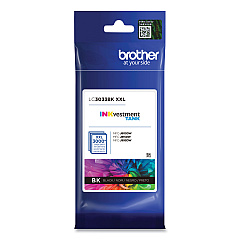
Brother MFC-J995DWXL Black Ink Cartridges

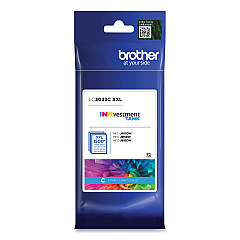
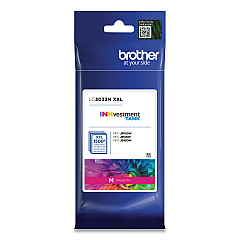
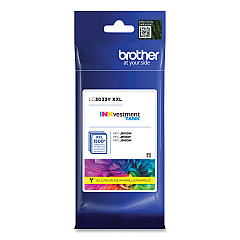
Brother MFC-J995DWXL Color Ink Cartridges

Brother MFC-J995DWXL Warranty and Services

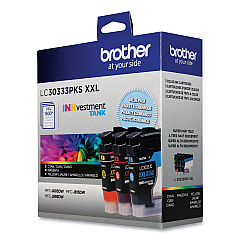
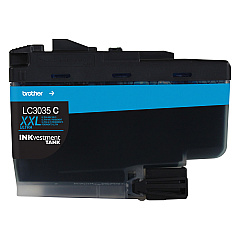
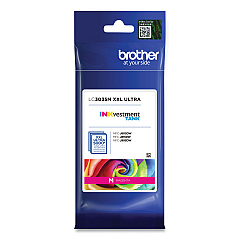
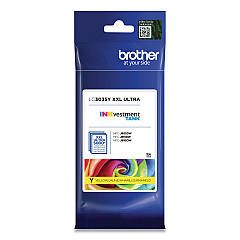
Ensure your Brother MFC-J995DWXL printer maintains its exceptional performance with our comprehensive range of Brother MFC-J995DWXL Ink Cartridges. We offer a variety of options to suit your printing needs, including the cost-effective Brother LC30333PKS Value Pack and individual cartridges in black, cyan, magenta, and yellow. Choose from standard-yield LC3033 series or high-yield LC3035 series cartridges for extended printing capacity. These genuine Brother ink cartridges are designed to deliver crisp text and vibrant colors, ensuring professional-quality results for all your documents and photos. Whether you're a small business, educational institution, or healthcare facility, our Brother MFC-J995DWXL Ink Cartridges provide reliable, long-lasting performance and superior print quality. Stock up on these essential supplies to keep your printer running smoothly and efficiently, minimizing downtime and maximizing productivity.

Brother MFC-J995DWXL Printers Supplies FAQs

  • What is the difference between LC3033 and LC3035 ink cartridges?

    LC3035 cartridges are high-yield, offering more pages per cartridge than the standard-yield LC3033 series.

  • Are these ink cartridges compatible with other Brother printer models?

    These cartridges are specifically designed for the Brother MFC-J995DWXL. Always check your printer's compatibility before purchasing.

  • How many pages can I print with the LC3033 series cartridges?

    Page yield varies, but typically LC3033BK yields about 3000 pages, while color cartridges yield around 1500 pages each.

  • What's included in the Brother LC30333PKS Value Pack?

    The Value Pack typically includes one each of black, cyan, magenta, and yellow LC3033 series cartridges.

  • How long do these ink cartridges last before expiring?

    Unopened cartridges typically last two years from the production date when stored properly.

  • Can I use third-party ink cartridges in my Brother MFC-J995DWXL?

    While third-party cartridges may work, using genuine Brother cartridges ensures optimal print quality and printer performance.

  • How do I install these ink cartridges in my printer?

    Open the ink cartridge cover, remove the old cartridge, unpack the new one, and insert it until it clicks into place. Close the cover to complete installation.

  • Are these cartridges recyclable?

    Yes, Brother offers a cartridge recycling program. Check their website for details on how to participate.

  • What should I do if my printer doesn't recognize the new cartridge?

    Ensure the cartridge is properly installed and compatible. If issues persist, clean the printer's contacts and try reinstalling the cartridge.

  • How can I maximize the lifespan of my ink cartridges?

    Print regularly to prevent nozzles from clogging, use draft mode for non-critical prints, and store cartridges in a cool, dry place when not in use.

Warehouse Locations

Policy & Agreement | Copyright © 1995-2026 BlueDogInk.com
