





Ads

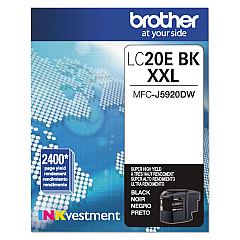
Brother MFC-J985DW USA shipment Black Ink Cartridges

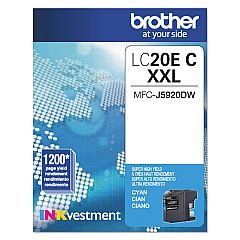
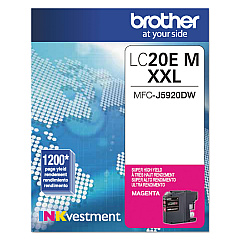
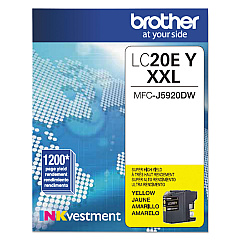
Brother MFC-J985DW USA shipment Color Ink Cartridges

Enhance your printing experience with Brother MFC-J985DW USA shipment Ink Cartridges, designed specifically for optimal performance in your Brother MFC-J985DW printer. This comprehensive set includes the Brother LC20EBK Black, LC20EC Cyan, LC20EM Magenta, and LC20EY Yellow Ink Cartridges, ensuring vibrant and long-lasting prints for all your business, educational, or personal needs. These high-yield cartridges are engineered to deliver exceptional page yields, reducing the frequency of replacements and lowering your overall printing costs. With genuine Brother ink, you can expect superior print quality, sharp text, and vivid colors that resist fading. Compatible with various Brother printer models, these cartridges are easy to install and provide reliable, consistent results. Choose Brother MFC-J985DW USA shipment Ink Cartridges for professional-grade prints that make a lasting impression.

Brother MFC-J985DW USA shipment Ink Cartridges FAQs

  • How long do Brother MFC-J985DW USA shipment Ink Cartridges typically last?

    The page yield varies depending on usage, but these high-yield cartridges can typically print up to 2,400 pages for black and 1,200 pages for each color.

  • Are these cartridges compatible with other Brother printer models?

    While designed for the MFC-J985DW, these cartridges may be compatible with other Brother models. Check your printer's manual or Brother's website for compatibility information.

  • How can I tell when it's time to replace my ink cartridges?

    Your Brother printer will display a low ink warning when cartridges need replacement. You can also check ink levels through the printer's menu or software.

  • Are these genuine Brother ink cartridges?

    Yes, these are genuine Brother ink cartridges, ensuring optimal performance and print quality for your Brother printer.

  • Can I use third-party or refilled cartridges instead?

    While third-party options exist, using genuine Brother cartridges ensures the best print quality and helps maintain your printer's warranty.

  • How should I store unused ink cartridges?

    Store cartridges in a cool, dry place away from direct sunlight. Keep them in their original packaging until ready for use.

  • What's the shelf life of these ink cartridges?

    Unopened cartridges typically have a shelf life of 2 years from the production date when stored properly.

  • How do I properly install these ink cartridges?

    Follow the instructions in your printer's manual. Generally, you'll need to power on the printer, open the ink cartridge cover, remove the old cartridge, and insert the new one until it clicks into place.

  • Are these cartridges environmentally friendly?

    Brother offers a recycling program for used cartridges, helping to reduce environmental impact. Check Brother's website for details on their recycling initiatives.

  • What should I do if I experience print quality issues after installing new cartridges?

    Run a print head cleaning cycle through your printer's maintenance menu. If issues persist, ensure the cartridges are properly installed and contact Brother support for further assistance.

Warehouse Locations

Policy & Agreement | Copyright © 1995-2026 BlueDogInk.com
