





Ads

Brother MFC-J985DW Black Ink Cartridges

Brother MFC-J985DW Color Ink Cartridges

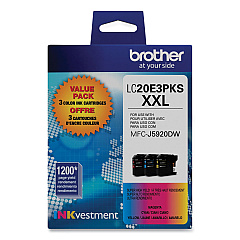
Brother MFC-J985DW Ink Set

Brother MFC-J985DW Copy Paper

Brother MFC-J985DW Photo Paper

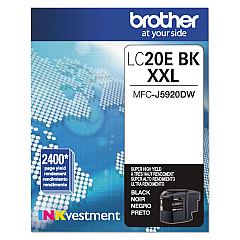
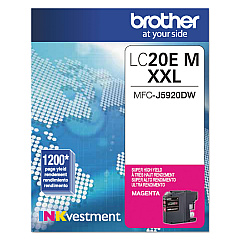
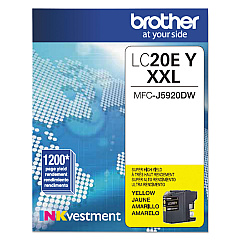
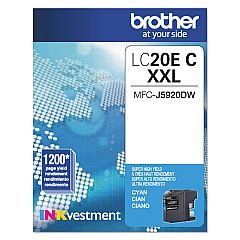
Maximize your printing efficiency with genuine Brother MFC-J985DW Ink Cartridges. These high-yield cartridges are designed to deliver exceptional print quality and longevity for your Brother MFC-J985DW printer. The comprehensive range includes the Brother LC20E3PKS Value Pack, offering a cost-effective solution for high-volume printing needs. Individual cartridges are also available in Brother LC20EBK Black, LC20EC Cyan, LC20EM Magenta, and LC20EY Yellow, allowing you to replace only the colors you need. These cartridges are engineered to produce crisp text and vibrant images while minimizing waste and reducing your overall printing costs. With their impressive page yield and reliable performance, Brother MFC-J985DW Ink Cartridges ensure your printer consistently delivers professional-quality documents and photos, making them an ideal choice for businesses, educational institutions, and home offices alike.

Brother MFC-J985DW Ink Cartridges FAQs

  • How long do Brother MFC-J985DW ink cartridges typically last?

    Brother MFC-J985DW ink cartridges are high-yield and can last up to 2,400 pages for black and 1,200 pages for each color, depending on your printing habits and document types.

  • Are these ink cartridges compatible with other Brother printer models?

    These specific cartridges are designed for the Brother MFC-J985DW model. Always check your printer's manual or Brother's website for compatibility information before purchasing.

  • Can I use third-party ink cartridges in my Brother MFC-J985DW printer?

    While third-party cartridges may work, using genuine Brother ink cartridges ensures optimal print quality and helps maintain your printer's warranty.

  • What's included in the Brother LC20E3PKS Value Pack?

    The Brother LC20E3PKS Value Pack typically includes one each of cyan, magenta, and yellow ink cartridges.

  • How do I know when it's time to replace my ink cartridges?

    Your Brother MFC-J985DW printer will display a low ink warning on its LCD screen when a cartridge needs replacement.

  • Can I recycle empty Brother ink cartridges?

    Yes, Brother offers a recycling program for empty ink cartridges. Check their website for details on how to participate.

  • Do these cartridges come with a warranty?

    Genuine Brother ink cartridges typically come with a limited warranty. Check the packaging or Brother's website for specific warranty information.

  • How should I store unused ink cartridges?

    Store unused cartridges in a cool, dry place away from direct sunlight. Keep them in their original packaging until you're ready to use them.

  • Can I mix different brands of ink cartridges in my Brother MFC-J985DW printer?

    It's not recommended to mix different brands of ink cartridges as it may affect print quality and potentially damage your printer.

  • How do I install new ink cartridges in my Brother MFC-J985DW printer?

    Open the ink cartridge cover, remove the empty cartridge, unpack the new cartridge, and insert it firmly into the correct color-coded slot until it clicks into place.

Warehouse Locations

Policy & Agreement | Copyright © 1995-2026 BlueDogInk.com
