










Ads

Brother MFC-J775DWXL Black Ink Cartridges

Brother MFC-J775DWXL Color Ink Cartridges

Brother MFC-J775DWXL Ink Set

Brother MFC-J775DWXL Copy Paper

Brother MFC-J775DWXL Warranty and Services

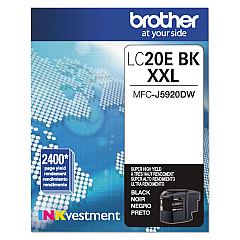
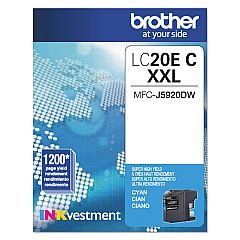
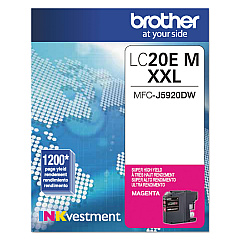
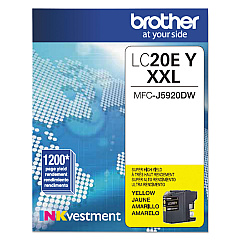
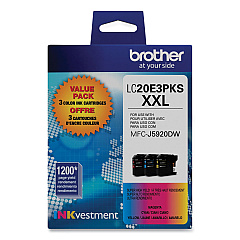
Ensure your Brother MFC-J775DWXL printer maintains its exceptional performance with our premium Brother MFC-J775DWXL Ink Cartridges. Our selection includes the cost-effective Brother LC20E3PKS Value Pack, perfect for high-volume printing needs. For individual color replacements, choose from the Brother LC20EBK Black, LC20EC Cyan, LC20EM Magenta, and LC20EY Yellow Ink Cartridges. These genuine Brother cartridges deliver crisp text and vibrant images, ideal for businesses, schools, and healthcare facilities requiring professional-quality prints. With their high-yield capacity, these cartridges offer an economical solution for your printing needs, reducing the frequency of replacements. Trust in the reliability and consistency of our Brother MFC-J775DWXL Ink Cartridges to keep your printer running smoothly and your documents looking their best.

Brother MFC-J775DWXL Ink Cartridges FAQs

  • How long do Brother MFC-J775DWXL ink cartridges typically last?

    The lifespan of these cartridges varies depending on usage, but they are high-yield and can last for approximately 2,400 pages for black and 1,200 pages for each color.

  • Are these cartridges compatible with other Brother printer models?

    These cartridges are specifically designed for the Brother MFC-J775DWXL model and may not be compatible with other printers.

  • Can I use third-party ink cartridges in my Brother MFC-J775DWXL printer?

    While third-party cartridges may work, using genuine Brother cartridges ensures optimal print quality and prevents potential damage to your printer.

  • How do I install new ink cartridges in my Brother MFC-J775DWXL printer?

    Open the ink cartridge cover, remove the old cartridge, insert the new one until it clicks into place, and close the cover. The printer will automatically recognize the new cartridge.

  • What's the difference between the individual cartridges and the value pack?

    The value pack (LC20E3PKS) includes all three color cartridges at a discounted price, while individual cartridges allow you to replace only the colors you need.

  • How can I tell when my ink cartridges need to be replaced?

    Your printer will display a low ink warning on its LCD screen. You can also check ink levels through the printer's menu or your computer's printer software.

  • Are these ink cartridges environmentally friendly?

    Brother offers a cartridge recycling program to minimize environmental impact. You can return used cartridges to Brother for proper recycling.

  • Do these cartridges come with a warranty?

    Yes, genuine Brother ink cartridges come with a warranty against defects in materials and workmanship.

  • Can I store unused ink cartridges for later use?

    Yes, store unopened cartridges in a cool, dry place. Once opened, use within six months for best results.

  • What should I do if my printer doesn't recognize a new cartridge?

    Ensure the cartridge is properly installed and the contacts are clean. If issues persist, try removing and reinserting the cartridge or cleaning the printer's cartridge contacts.

Warehouse Locations

Policy & Agreement | Copyright © 1995-2026 BlueDogInk.com
