









Ads

Brother MFC-J775DW Black Ink Cartridges

Brother MFC-J775DW Color Ink Cartridges

Brother MFC-J775DW Ink Set

Brother MFC-J775DW Copy Paper

Brother MFC-J775DW Warranty and Services

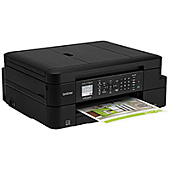
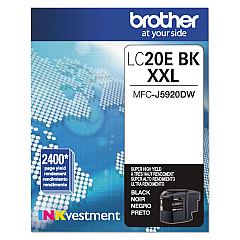
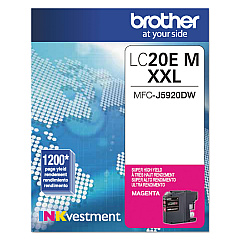
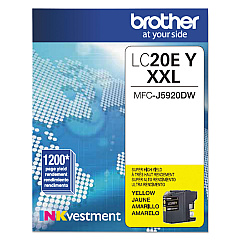
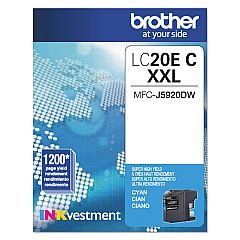
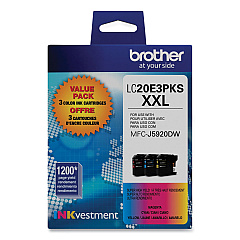
Ensure optimal performance for your Brother MFC-J775DW printer with genuine Brother MFC-J775DW Ink Cartridges. These high-quality cartridges are designed to deliver crisp text and vibrant images, making them ideal for both home and office use. The Brother LC20E series offers a range of options, including the cost-effective LC20E3PKS Value Pack, which contains black, cyan, magenta, and yellow cartridges. For individual replacements, choose from LC20EBK Black, LC20EC Cyan, LC20EM Magenta, or LC20EY Yellow cartridges. These cartridges are engineered to work seamlessly with your Brother MFC-J775DW printer, ensuring consistent, professional-quality prints every time. With their high page yield and reliable performance, these ink cartridges help maximize productivity while minimizing printing costs. Trust in Brother's genuine supplies to keep your MFC-J775DW running smoothly and producing exceptional results for all your printing needs.

Brother MFC-J775DW Ink Cartridges FAQs

  • How long do Brother MFC-J775DW ink cartridges typically last?

    The lifespan of ink cartridges varies depending on usage, but Brother LC20E series cartridges are designed for high yield, typically lasting for several hundred pages.

  • Can I use non-Brother brand ink cartridges in my MFC-J775DW printer?

    While third-party cartridges may work, using genuine Brother ink cartridges is recommended to ensure optimal print quality and to maintain your printer's warranty.

  • How do I know when it's time to replace my ink cartridges?

    Your Brother MFC-J775DW printer will display a low ink warning on its LCD screen when cartridges are running low and need replacement.

  • Are these ink cartridges compatible with other Brother printer models?

    The LC20E series cartridges are designed specifically for the Brother MFC-J775DW and may not be compatible with other models. Always check your printer's manual for compatibility.

  • What's the difference between the individual cartridges and the value pack?

    The value pack (LC20E3PKS) includes all four colors and is typically more cost-effective than buying individual cartridges separately.

  • How should I store unused ink cartridges?

    Store unused cartridges in a cool, dry place away from direct sunlight. Keep them in their original packaging until ready for use.

  • Can I recycle empty ink cartridges?

    Yes, Brother offers a recycling program for empty cartridges. Check their website or local office supply stores for recycling options.

  • What should I do if my printer doesn't recognize a new cartridge?

    Ensure the cartridge is properly installed and the protective tape is removed. If issues persist, clean the cartridge contacts and try again.

  • How many pages can I print with one set of cartridges?

    Page yield varies, but LC20E series cartridges typically offer a high yield of several hundred pages per cartridge.

  • Is it necessary to replace all cartridges at once?

    No, you can replace individual cartridges as needed. However, replacing all at once can ensure consistent print quality across all colors.

Warehouse Locations

Policy & Agreement | Copyright © 1995-2026 BlueDogInk.com
