





Ads

Brother MFC-J6925DW Black Ink Cartridges

Brother MFC-J6925DW Color Ink Cartridges

Brother MFC-J6925DW Warranty and Services

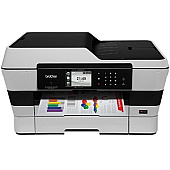
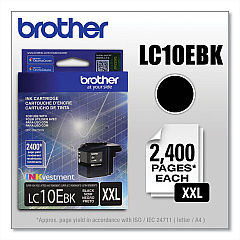
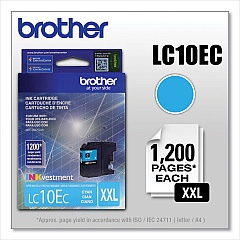
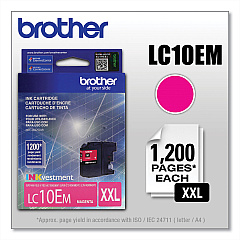
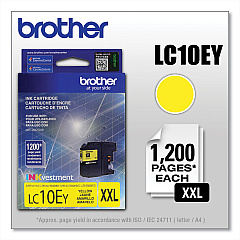
Keep your Brother MFC-J6925DW printer running smoothly with our high-quality Brother MFC-J6925DW Ink Cartridges. This versatile all-in-one printer demands reliable ink supplies for consistent, professional results. Our selection includes the essential Brother LC10EBK Black Ink Cartridge for crisp text and sharp lines, as well as the vibrant Brother LC10EC Cyan, LC10EM Magenta, and LC10EY Yellow Ink Cartridges for stunning color prints. These genuine Brother cartridges are designed to deliver exceptional print quality, resist fading, and provide long-lasting results. Whether you're printing important business documents, vibrant marketing materials, or cherished family photos, these ink cartridges ensure your MFC-J6925DW performs at its best. Don't compromise on quality – choose our authentic Brother ink cartridges for optimal performance and reliability in your printing tasks.

Brother MFC-J6925DW Ink Cartridges FAQs

  • How long do Brother MFC-J6925DW ink cartridges typically last?

    The lifespan of ink cartridges varies depending on usage, but on average, they can last for about 1,200 to 2,400 pages for black and 1,200 pages for color cartridges.

  • Are these ink cartridges compatible with other Brother printer models?

    These specific cartridges are designed for the Brother MFC-J6925DW model. Always check your printer's compatibility before purchasing ink cartridges.

  • Can I use third-party ink cartridges in my Brother MFC-J6925DW printer?

    While third-party cartridges may work, using genuine Brother ink cartridges is recommended for optimal print quality and to maintain your printer's warranty.

  • How do I know when it's time to replace my ink cartridges?

    Your printer will display a low ink warning when cartridges need replacement. You can also check ink levels through the printer's control panel or your computer.

  • Is it necessary to replace all color cartridges at once?

    No, you can replace individual color cartridges as needed. The printer uses each color independently.

  • How should I store unused ink cartridges?

    Store unused cartridges in a cool, dry place in their original packaging. Avoid extreme temperatures and direct sunlight.

  • Can I recycle empty ink cartridges?

    Yes, Brother offers a recycling program for empty cartridges. Many office supply stores also accept cartridges for recycling.

  • What's the shelf life of unopened ink cartridges?

    Unopened ink cartridges typically have a shelf life of 1-2 years from the production date when stored properly.

  • How can I troubleshoot print quality issues related to ink cartridges?

    Try cleaning the print heads, ensuring cartridges are properly installed, and using genuine Brother cartridges. If issues persist, consult your printer's manual or contact Brother support.

  • Do these cartridges come with a warranty?

    Yes, genuine Brother ink cartridges come with a warranty against defects in materials and workmanship for a specified period from the date of purchase.

Warehouse Locations

Policy & Agreement | Copyright © 1995-2026 BlueDogInk.com
