










Ads

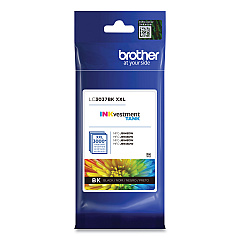
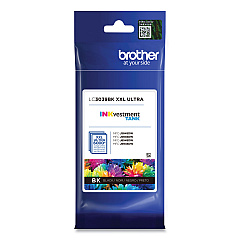
Brother MFC-J6545DWXL Black Ink Cartridges

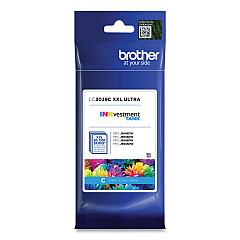
Brother MFC-J6545DWXL Color Ink Cartridges

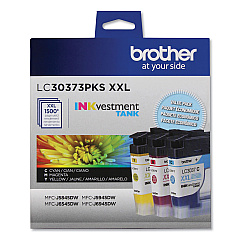
Brother MFC-J6545DWXL Ink Set

Brother MFC-J6545DWXL Copy Paper

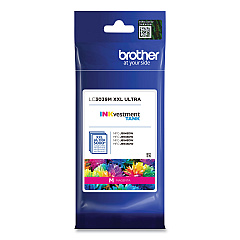
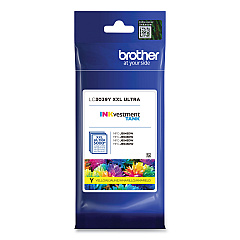
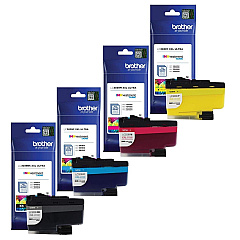
Maximize your printing efficiency with Brother MFC-J6545DWXL Ink Cartridges, designed for superior performance and exceptional print quality. These cartridges come in a range of options to suit your needs, including the LC3037 Super High Yield series and the LC3039 Ultra High Yield series. Choose from individual colors like Black, Cyan, Magenta, and Yellow, or opt for the convenient LC30373PKS Value Pack. Whether you're printing high-volume business documents or vibrant marketing materials, these cartridges deliver crisp text and vivid colors. The Brother MFC-J6545DWXL Ink Cartridges are engineered to work seamlessly with your printer, ensuring consistent results and reducing downtime. With options for both high and ultra-high yield cartridges, you can optimize your printing costs while maintaining professional-quality output for all your business, educational, or healthcare needs.

Brother MFC-J6545DWXL Ink Cartridges FAQs

  • What is the difference between LC3037 and LC3039 cartridges?

    LC3037 are Super High Yield cartridges, while LC3039 are Ultra High Yield cartridges, offering even more prints per cartridge.

  • Are these cartridges compatible with other Brother printers?

    These cartridges are specifically designed for the Brother MFC-J6545DWXL. Always check your printer's compatibility before purchasing.

  • How many pages can I print with the LC3039 Ultra High Yield cartridges?

    Page yield varies by color and print settings, but generally, LC3039 cartridges offer significantly more prints than standard cartridges.

  • Is it better to buy individual cartridges or the value pack?

    If you use all colors equally, the value pack may be more cost-effective. For uneven color usage, individual cartridges might be preferable.

  • How long do these cartridges last before expiring?

    Typically, Brother ink cartridges have a shelf life of 2 years from the date of manufacture when stored properly.

  • Can I use third-party ink cartridges in my Brother MFC-J6545DWXL?

    While third-party cartridges may work, using genuine Brother cartridges ensures optimal print quality and printer performance.

  • How do I know when it's time to replace my ink cartridge?

    Your printer will display a low ink warning. You can also check ink levels through the printer's menu or your computer.

  • Are these cartridges environmentally friendly?

    Brother offers a cartridge recycling program to help reduce environmental impact. Check their website for details.

  • Can I buy these cartridges in bulk for my business?

    Yes, bulk purchasing options are often available for businesses. Contact the seller for more information on bulk orders.

  • How do I install these ink cartridges in my Brother MFC-J6545DWXL?

    Installation is simple: open the ink cartridge cover, remove the old cartridge, insert the new one until it clicks, and close the cover. Your printer's manual provides detailed instructions.

Warehouse Locations

Policy & Agreement | Copyright © 1995-2026 BlueDogInk.com
