




Ads

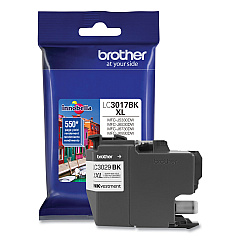
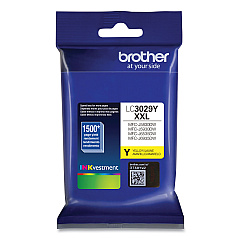
Brother MFC-J6535DW XL Black Ink Cartridges

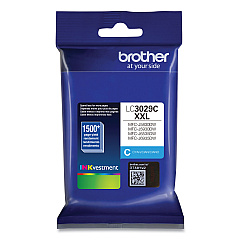
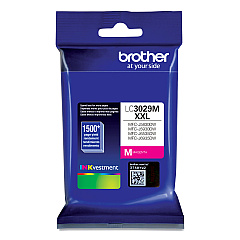
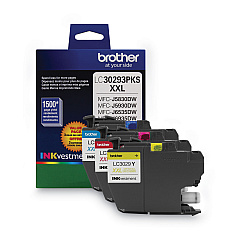
Brother MFC-J6535DW XL Color Ink Cartridges

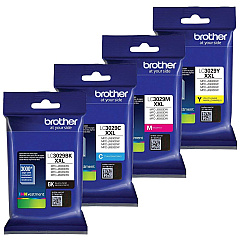
Brother MFC-J6535DW XL Ink Set

Ensure optimal performance for your Brother MFC-J6535DW XL printer with our premium ink cartridges. These Brother MFC-J6535DW XL Ink Cartridges are designed to deliver exceptional print quality and longevity. Choose from the LC3029 Super High Yield series, including black, cyan, magenta, and yellow options, or opt for the cost-effective LC30293PK Value Pack. Each cartridge is engineered to produce crisp text and vibrant colors, perfect for both professional documents and high-quality photo prints. With their impressive page yield, these cartridges offer excellent value for high-volume printing needs in businesses, schools, and healthcare settings. Compatible with the Brother MFC-J6535DW XL printer, these genuine Brother ink cartridges ensure reliable performance and minimize the risk of printer damage, making them the smart choice for all your printing requirements.

Brother MFC-J6535DW XL Ink Cartridges FAQs

  • What is the page yield for the Brother LC3029 Super High Yield Ink Cartridges?

    The page yield varies by color: Black yields approximately 3,000 pages, while each color (Cyan, Magenta, Yellow) yields about 1,500 pages.

  • Are these ink cartridges compatible with other Brother printer models?

    These cartridges are specifically designed for the Brother MFC-J6535DW XL printer. Always check your printer's manual for compatibility.

  • How long do these ink cartridges last?

    The lifespan depends on usage, but typically they can last 1-2 years if stored properly and used regularly.

  • Can I use third-party ink cartridges instead of genuine Brother cartridges?

    While third-party options exist, using genuine Brother cartridges ensures optimal print quality and prevents potential printer damage.

  • What's included in the Brother LC30293PK Value Pack?

    The Value Pack typically includes one each of Cyan, Magenta, and Yellow Super High Yield ink cartridges.

  • How do I install these ink cartridges?

    Simply open the ink cartridge cover, remove the old cartridge, and insert the new one until it clicks into place. Refer to your printer's manual for detailed instructions.

  • Are these cartridges recyclable?

    Yes, Brother offers a recycling program for used ink cartridges. Check their website for details on how to participate.

  • How can I tell if my ink cartridge is running low?

    Your Brother printer will display a low ink warning on its LCD screen when a cartridge is running low.

  • Can I buy individual color cartridges or do I have to replace all colors at once?

    You can purchase individual color cartridges as needed. It's not necessary to replace all colors simultaneously.

  • What's the shelf life of unopened ink cartridges?

    Unopened Brother ink cartridges typically have a shelf life of two years from the date of manufacture when stored properly.

Warehouse Locations

Policy & Agreement | Copyright © 1995-2026 BlueDogInk.com
