




Ads

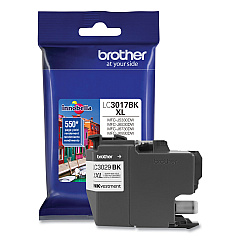
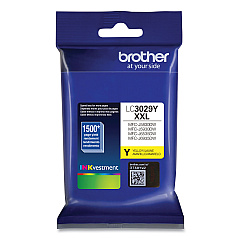
Brother MFC-J6535DW Black Ink Cartridges

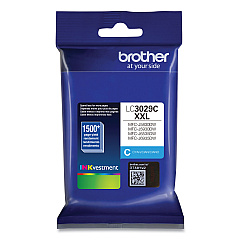
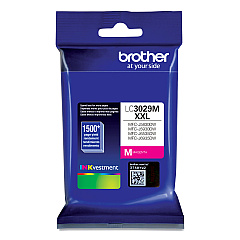
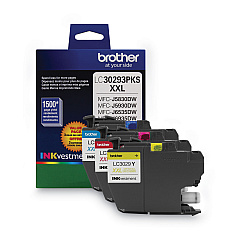
Brother MFC-J6535DW Color Ink Cartridges

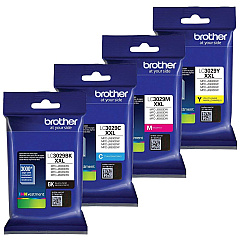
Brother MFC-J6535DW Ink Set

Brother MFC-J6535DW Warranty and Services

Maximize your printing potential with genuine Brother MFC-J6535DW Ink Cartridges. These high-quality cartridges are designed to deliver exceptional results for your Brother MFC-J6535DW printer, ensuring crisp text and vibrant colors for all your documents and images. Choose from a range of options, including the cost-effective Brother LC30293PK Value Pack or individual Super High Yield cartridges in Black, Cyan, Magenta, and Yellow. The Brother LC3029 series offers extended print capacity, reducing the frequency of replacements and lowering your overall printing costs. Whether you're printing business reports, marketing materials, or family photos, these cartridges provide reliable performance and professional-grade output. Invest in authentic Brother ink to maintain your printer's warranty and experience consistent, superior print quality across all your projects.

Brother MFC-J6535DW Ink Cartridges FAQs

  • How long do Brother MFC-J6535DW ink cartridges last?

    The lifespan of ink cartridges varies depending on usage, but Super High Yield cartridges typically last longer than standard cartridges. On average, they can print several thousand pages before needing replacement.

  • Can I use third-party ink cartridges in my Brother MFC-J6535DW printer?

    While third-party cartridges may work, using genuine Brother ink cartridges is recommended to ensure optimal print quality and to maintain your printer's warranty.

  • What's the difference between standard and Super High Yield cartridges?

    Super High Yield cartridges contain more ink and can print more pages than standard cartridges, making them more cost-effective for high-volume printing.

  • How do I install new ink cartridges in my Brother MFC-J6535DW printer?

    Open the ink cartridge cover, remove the old cartridge, unpack the new one, and insert it firmly into the correct slot. Close the cover and follow any on-screen prompts to complete the installation.

  • Are Brother LC3029 ink cartridges compatible with other Brother printer models?

    Brother LC3029 cartridges are designed specifically for certain models, including the MFC-J6535DW. Always check your printer's manual or Brother's website for compatibility information.

  • How can I tell if my ink cartridge is running low?

    Your printer will display a low ink warning on its screen. You can also check ink levels through the printer's menu or your computer's printer software.

  • What's included in the Brother LC30293PK Value Pack?

    The LC30293PK Value Pack typically includes one each of Cyan, Magenta, and Yellow Super High Yield ink cartridges.

  • Can I recycle used Brother ink cartridges?

    Yes, Brother offers a recycling program for used ink cartridges. Check their website for details on how to participate in this eco-friendly initiative.

  • How should I store unused ink cartridges?

    Store unused cartridges in a cool, dry place away from direct sunlight. Keep them in their original packaging until you're ready to use them to prevent the ink from drying out.

  • What should I do if my printer doesn't recognize a new ink cartridge?

    First, ensure the cartridge is properly installed. If the issue persists, clean the cartridge contacts and try reinserting it. If problems continue, contact Brother customer support for assistance.

Warehouse Locations

Policy & Agreement | Copyright © 1995-2026 BlueDogInk.com
