




Ads

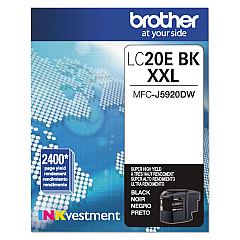
Brother MFC-J5920DW US Model Black Ink Cartridges

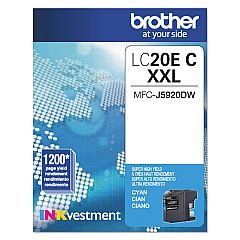
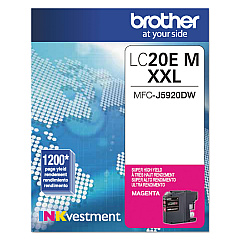
Brother MFC-J5920DW US Model Color Ink Cartridges

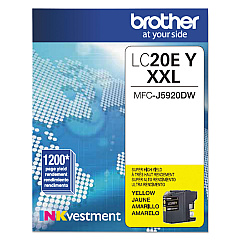
Ensure optimal performance for your Brother MFC-J5920DW US Model with genuine Brother MFC-J5920DW US Model Ink Cartridges. This versatile all-in-one printer demands high-quality ink to deliver exceptional results for businesses, schools, government offices, and healthcare facilities. The complete set includes Brother LC20EBK Black, LC20EC Cyan, LC20EM Magenta, and LC20EY Yellow ink cartridges, each designed to provide vivid, long-lasting prints. These cartridges offer superior page yield and color accuracy, making them ideal for high-volume printing environments. Whether you're producing crisp text documents or vibrant marketing materials, these genuine Brother inks ensure consistent, professional-quality output. By choosing authentic Brother cartridges, you'll maximize your printer's lifespan and minimize potential issues, ensuring smooth operations for your organization. Don't compromise on quality – trust Brother MFC-J5920DW US Model Ink Cartridges for all your printing needs.

Brother MFC-J5920DW US Model Ink Cartridges FAQs

  • How long do Brother MFC-J5920DW US Model Ink Cartridges typically last?

    The lifespan of these cartridges depends on usage, but they generally offer a high page yield. The exact number can be found on the product specifications.

  • Are these cartridges compatible with other Brother printer models?

    These cartridges are specifically designed for the Brother MFC-J5920DW US Model. Always check your printer's compatibility before purchasing ink cartridges.

  • Can I use third-party ink cartridges in my Brother MFC-J5920DW?

    While third-party cartridges may work, using genuine Brother cartridges ensures optimal print quality and helps maintain your printer's warranty.

  • How do I install these ink cartridges?

    Installation is simple. Open the ink cartridge cover, remove the old cartridge, and insert the new one until it clicks into place. Refer to your printer's manual for detailed instructions.

  • What should I do if my printer doesn't recognize the new cartridge?

    Try removing and reinserting the cartridge. If the issue persists, clean the cartridge contacts and try again. If problems continue, contact Brother support.

  • Are these cartridges environmentally friendly?

    Brother is committed to environmental sustainability. They offer a cartridge recycling program to minimize waste and environmental impact.

  • How can I tell if my ink cartridge is running low?

    Your Brother MFC-J5920DW will display a low ink warning on its LCD screen when a cartridge is running low.

  • Can I buy these cartridges individually, or do I need to purchase the full set?

    You can purchase these cartridges individually or as a set, depending on your needs and which colors are running low.

  • What's the shelf life of unopened ink cartridges?

    Unopened Brother ink cartridges typically have a shelf life of two years from the date of manufacture when stored properly.

  • Do these cartridges come with a warranty?

    Yes, genuine Brother ink cartridges come with a warranty. If you experience any issues, contact Brother customer support for assistance.

Warehouse Locations

Policy & Agreement | Copyright © 1995-2026 BlueDogInk.com
