




Ads

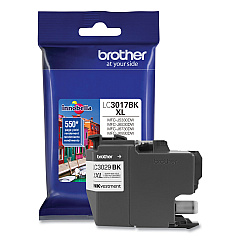
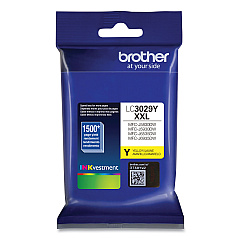
Brother MFC-J5830DWXL Black Ink Cartridges

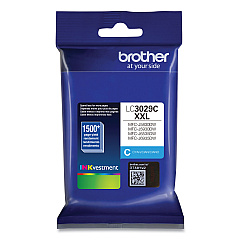
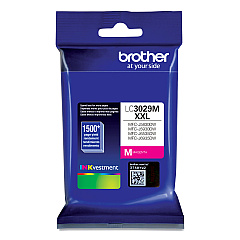
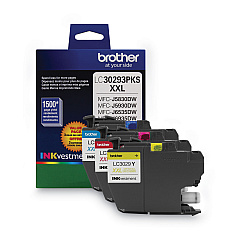
Brother MFC-J5830DWXL Color Ink Cartridges

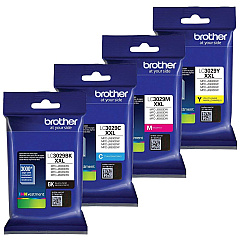
Brother MFC-J5830DWXL Ink Set

Ensure optimal performance for your Brother MFC-J5830DWXL with genuine Brother MFC-J5830DWXL Ink Cartridges. These high-quality ink cartridges are designed to deliver exceptional print quality and reliability for your business, educational, or healthcare needs. The Brother LC3029 Super High Yield Ink Cartridges offer extended printing capacity, reducing the frequency of replacements. For added convenience, the Brother LC30293PK Value Pack provides a cost-effective solution for multi-color printing. Individual cartridges are also available in Brother LC3029BK Black, LC3029C Cyan, LC3029M Magenta, and LC3029Y Yellow, allowing you to replace only the colors you need. These cartridges are engineered to work seamlessly with your Brother MFC-J5830DWXL printer, ensuring crisp text, vibrant graphics, and long-lasting prints. Trust in the quality and performance of genuine Brother ink cartridges for all your printing requirements.

Brother MFC-J5830DWXL Ink Cartridges FAQs

  • How long do Brother MFC-J5830DWXL ink cartridges typically last?

    The lifespan of ink cartridges varies depending on usage, but Brother LC3029 Super High Yield cartridges can print approximately 3,000 pages for black and 1,500 pages for each color.

  • Can I use third-party ink cartridges in my Brother MFC-J5830DWXL printer?

    While third-party cartridges may work, using genuine Brother ink cartridges is recommended to ensure optimal print quality and to maintain your printer's warranty.

  • How do I know when it's time to replace my ink cartridges?

    Your Brother MFC-J5830DWXL printer will display a low ink warning on its LCD screen when cartridges are running low and need replacement.

  • Are Brother LC3029 ink cartridges compatible with other Brother printer models?

    Brother LC3029 ink cartridges are designed specifically for select Brother printers, including the MFC-J5830DWXL. Always check your printer's manual for compatibility.

  • What's the difference between standard and high-yield ink cartridges?

    High-yield cartridges, like the LC3029 series, contain more ink and can print more pages than standard cartridges, making them more cost-effective for high-volume printing.

  • How should I store unused ink cartridges?

    Store unused cartridges in a cool, dry place at room temperature. Keep them in their original packaging until ready for use to prevent drying out.

  • Can I recycle empty Brother ink cartridges?

    Yes, Brother offers a recycling program for empty ink cartridges. Check their website for details on how to participate in their recycling initiative.

  • What should I do if my printer doesn't recognize a new ink cartridge?

    Try removing and reinserting the cartridge. If the issue persists, clean the cartridge contacts and try again. If problems continue, contact Brother support.

  • Is it necessary to replace all ink cartridges at the same time?

    No, you can replace individual cartridges as needed. However, it's a good idea to have spares on hand to avoid printing interruptions.

  • How can I maximize the life of my Brother MFC-J5830DWXL ink cartridges?

    To extend cartridge life, print in draft mode when possible, avoid leaving the printer idle for long periods, and perform regular printer maintenance as recommended in the user manual.

Warehouse Locations

Policy & Agreement | Copyright © 1995-2026 BlueDogInk.com
