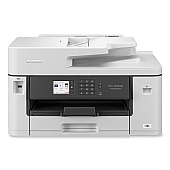
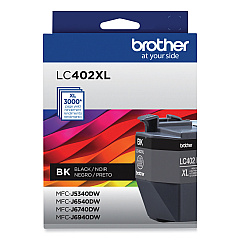
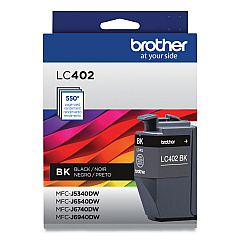
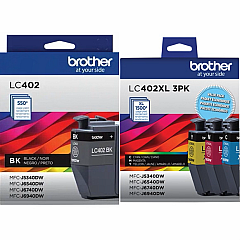





Brother MFC-J5340DW Black Ink Cartridges

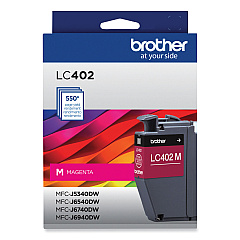
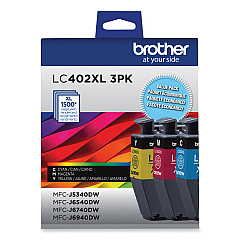
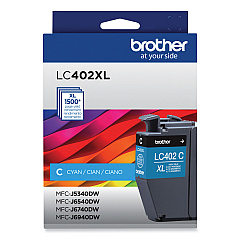
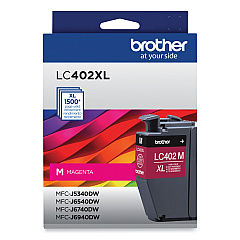
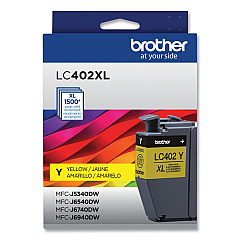
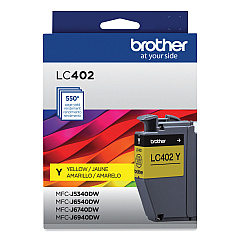
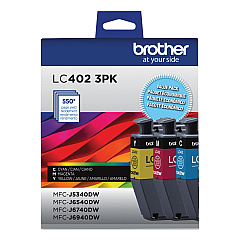
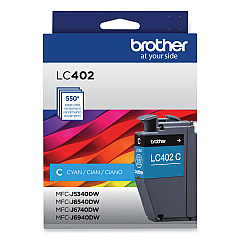
Brother MFC-J5340DW Color Ink Cartridges

Brother MFC-J5340DW Ink Set

Enhance your printing experience with genuine Brother MFC-J5340DW Ink Cartridges. These high-quality cartridges are designed to deliver exceptional results for your Brother MFC-J5340DW printer. Choose from a range of options, including standard and high-yield cartridges in black, cyan, magenta, and yellow. The LC4023PKS pack offers convenient color combinations, while individual cartridges like LC402BK, LC402CS, LC402MS, and LC402YS provide flexibility for your specific needs. For those requiring higher volume printing, the LC402XL series offers extended page yields, with the black cartridge producing up to 3,000 pages and color cartridges yielding 1,500 pages each. Whether you're printing documents or vibrant images, these Brother MFC-J5340DW Ink Cartridges ensure crisp text and vivid colors, making them ideal for businesses, schools, and home offices alike.

Brother MFC-J5340DW Ink Cartridges FAQs

  • What is the page yield of the standard Brother LC402 ink cartridges?

    The standard Brother LC402 ink cartridges have a page yield of approximately 550 pages for color cartridges (cyan, magenta, yellow).

  • How many pages can the high-yield Brother LC402XL black cartridge print?

    The Brother LC402XLBKS high-yield black ink cartridge can print up to 3,000 pages.

  • Are these ink cartridges compatible with other Brother printer models?

    These cartridges are specifically designed for the Brother MFC-J5340DW printer. Always check your printer's compatibility before purchasing ink cartridges.

  • What's the difference between standard and high-yield cartridges?

    High-yield cartridges contain more ink and can print more pages than standard cartridges, making them more cost-effective for high-volume printing.

  • Can I use third-party ink cartridges in my Brother MFC-J5340DW printer?

    While third-party cartridges may work, using genuine Brother ink cartridges ensures optimal print quality and helps maintain your printer's warranty.

  • How long do these ink cartridges last?

    The lifespan of ink cartridges depends on usage. Standard cartridges typically last for 550 pages, while high-yield cartridges can print up to 1,500 pages (color) or 3,000 pages (black).

  • Is it better to buy individual cartridges or multi-packs?

    Multi-packs like the LC4023PKS or LC402XL3PKS can be more cost-effective if you use all colors equally. Individual cartridges offer flexibility to replace only the colors you need.

  • How can I tell when it's time to replace my ink cartridges?

    Your Brother MFC-J5340DW printer will display a low ink warning when cartridges need replacement. You can also check ink levels through the printer's menu or software.

  • Are these ink cartridges environmentally friendly?

    Brother offers a cartridge recycling program to help reduce environmental impact. Check Brother's website for details on how to participate in this program.

  • What should I do if my printer doesn't recognize a new ink cartridge?

    Ensure the cartridge is properly installed and sealed. Clean the cartridge contacts and try reinserting it. If issues persist, consult your printer's manual or contact Brother support.

Warehouse Locations

Policy & Agreement | Copyright © 1995-2026 BlueDogInk.com
