





Ads

Brother MFC-9320 CN Black Toner Cartridges

Brother MFC-9320 CN Color Toner Cartridges

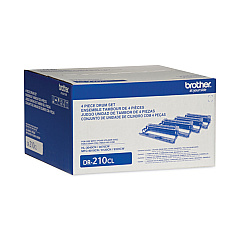
Brother MFC-9320 CN Drum Units

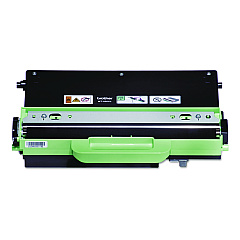
Brother MFC-9320 CN Waste Toner Kits

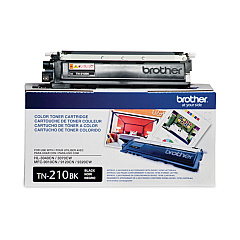
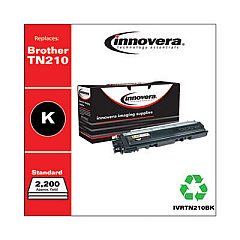
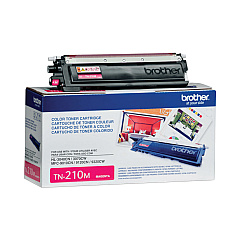
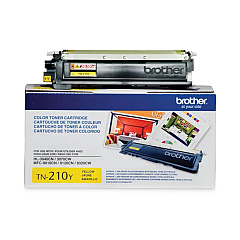
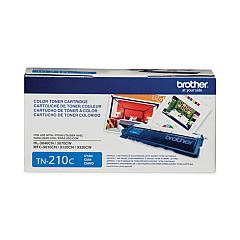
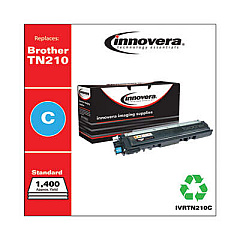
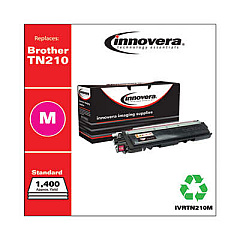
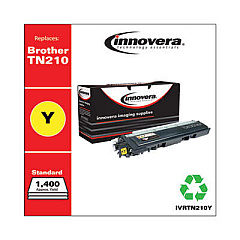
Ensure optimal performance and stunning print quality with genuine Brother MFC-9320 CN Toner Cartridges. This comprehensive range includes the Brother DR210CL Drum Unit for crisp, clear images, and individual color cartridges: TN210BK (Black), TN210C (Cyan), TN210M (Magenta), and TN210Y (Yellow). These high-yield toners deliver vibrant, long-lasting prints for your business, educational, healthcare, or wholesale needs. The Brother WT200CL Waste Toner Pack efficiently manages excess toner, maintaining your printer's cleanliness and functionality. By choosing authentic Brother supplies, you'll maximize your MFC-9320 CN's lifespan and consistently produce professional-quality documents. Whether you're printing reports, presentations, or marketing materials, these reliable toner cartridges ensure your work always looks its best. Invest in Brother MFC-9320 CN Toner Cartridges for unparalleled print quality and cost-effective performance.

Brother MFC-9320 CN Toner Cartridges FAQs

  • How long do Brother MFC-9320 CN toner cartridges typically last?

    The yield varies by cartridge, but on average, each color cartridge prints about 1,400 pages, while the black cartridge yields approximately 2,200 pages at 5% coverage.

  • Are these toner cartridges compatible with other Brother printers?

    These cartridges are specifically designed for the Brother MFC-9320 CN. Always check your printer's manual for compatible cartridge models.

  • How often should I replace the Brother DR210CL Drum Unit?

    The drum unit typically needs replacement after processing about 15,000 pages, but this can vary based on usage patterns.

  • Can I use third-party toner cartridges in my Brother MFC-9320 CN?

    While third-party cartridges may work, using genuine Brother cartridges ensures optimal print quality and prevents potential damage to your printer.

  • What's the purpose of the Brother WT200CL Waste Toner Pack?

    The waste toner pack collects excess toner during printing, helping to maintain the printer's cleanliness and functionality.

  • How do I know when it's time to replace a toner cartridge?

    Your printer will display a message indicating low toner levels. You may also notice a decrease in print quality.

  • Are these toner cartridges environmentally friendly?

    Brother offers a recycling program for used cartridges, promoting environmental sustainability.

  • Can I replace individual color cartridges, or do I need to replace all at once?

    You can replace individual color cartridges as needed, which helps reduce waste and save money.

  • How should I store unused toner cartridges?

    Store cartridges in a cool, dry place away from direct sunlight. Keep them in their original packaging until ready for use.

  • What's the shelf life of these toner cartridges?

    Unopened toner cartridges typically have a shelf life of 1-2 years when stored properly.

Warehouse Locations

Policy & Agreement | Copyright © 1995-2026 BlueDogInk.com
