





Ads

Brother MFC-8640 D Black Toner Cartridges

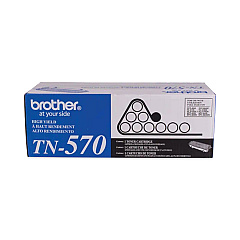
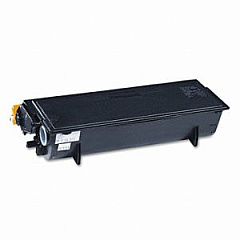
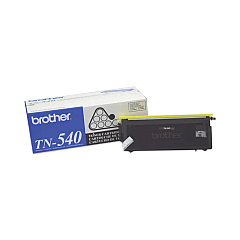
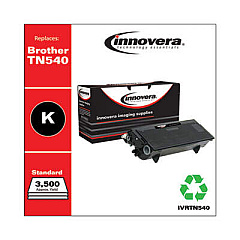
Ensure uninterrupted productivity with high-quality Brother MFC-8640 D Toner Cartridges. These reliable cartridges are designed specifically for the Brother MFC-8640 D multifunction printer, delivering crisp, professional-grade prints for your business, educational, or healthcare needs. Choose between the standard-yield Brother TN540 Black Toner Cartridge or the high-yield Brother TN570 Black Toner Cartridge to suit your printing volume. Both options offer exceptional print quality, producing sharp text and clear graphics. These genuine Brother toner cartridges are engineered to work seamlessly with your printer, minimizing the risk of malfunctions and extending the life of your device. By using authentic Brother MFC-8640 D Toner Cartridges, you'll maximize your printer's performance and ensure consistent, high-quality output for all your important documents.

Brother MFC-8640 D Toner Cartridges FAQs

  • What is the page yield for the Brother TN540 toner cartridge?

    The Brother TN540 toner cartridge has an approximate yield of 3,500 pages at 5% coverage.

  • What is the page yield for the Brother TN570 toner cartridge?

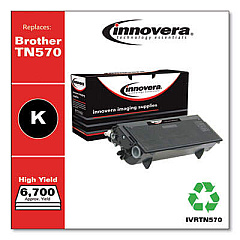
    The Brother TN570 toner cartridge has an approximate yield of 6,700 pages at 5% coverage.

  • Are these toner cartridges compatible with other Brother printer models?

    While these cartridges are designed for the MFC-8640 D, they may be compatible with other Brother models. Check your printer's manual or the Brother website for compatibility information.

  • How long do these toner cartridges typically last?

    The lifespan of a toner cartridge depends on your printing volume and the type of documents you print. Under normal use, they can last several months to a year.

  • Can I use third-party or remanufactured toner cartridges in my Brother MFC-8640 D?

    While third-party cartridges may work, using genuine Brother toner cartridges is recommended to ensure optimal print quality and prevent potential damage to your printer.

  • How do I install a new toner cartridge in my Brother MFC-8640 D?

    To install a new cartridge, open the front cover, remove the old cartridge, unpack the new one, and insert it until it clicks into place. Close the front cover to complete installation.

  • What should I do with my empty toner cartridges?

    Brother offers a recycling program for empty toner cartridges. You can also check with local office supply stores or recycling centers for proper disposal options.

  • How can I tell if my toner cartridge is running low?

    Your Brother MFC-8640 D will display a 'Toner Low' message on the LCD screen when the toner is running low. Print quality may also start to deteriorate.

  • Is there a difference in print quality between the TN540 and TN570 cartridges?

    Both cartridges provide the same high-quality prints. The main difference is in the page yield, with the TN570 offering a higher capacity.

  • Can I store spare toner cartridges for future use?

    Yes, you can store spare cartridges. Keep them in their original packaging in a cool, dry place away from direct sunlight. Properly stored, they can last for several years.

Warehouse Locations

Policy & Agreement | Copyright © 1995-2026 BlueDogInk.com
