





Ads

Brother MFC-8520 DN Black Toner Cartridges

Brother MFC-8520 DN Drum Units

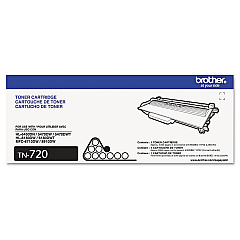
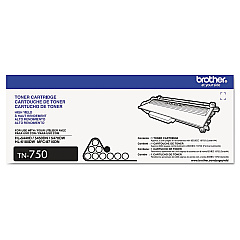
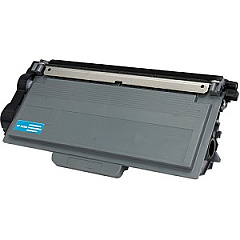
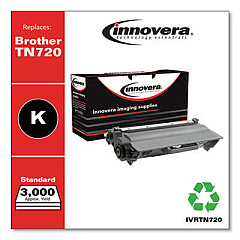
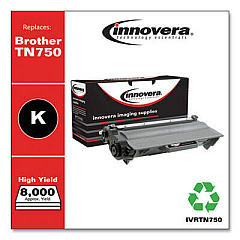
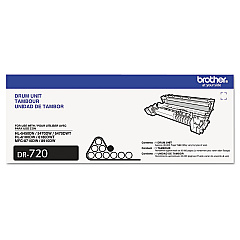
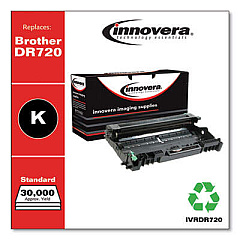
Ensure optimal performance for your Brother MFC-8520 DN printer with our high-quality Brother MFC-8520 DN Toner Cartridges. Our selection includes the essential Brother DR720 Drum Unit, which guarantees crisp and clear prints for up to 30,000 pages. For your everyday printing needs, choose between the Brother TN720 Black Toner Cartridge, offering a yield of 3,000 pages, or the high-yield Brother TN750 Black Toner Cartridge, capable of producing up to 8,000 pages. These genuine Brother supplies are designed to deliver exceptional print quality, reliability, and cost-effectiveness for your business, educational institution, government office, healthcare facility, or wholesale operation. By using authentic Brother toner cartridges, you'll maximize your printer's lifespan and ensure consistent, professional-quality output for all your important documents.

Brother MFC-8520 DN Toner Cartridges FAQs

  • How long do Brother MFC-8520 DN toner cartridges last?

    The TN720 lasts for about 3,000 pages, while the TN750 can print up to 8,000 pages. The DR720 drum unit can last up to 30,000 pages.

  • Are these toner cartridges compatible with other Brother printers?

    These cartridges are specifically designed for the Brother MFC-8520 DN, but they may be compatible with other Brother models. Check your printer's manual for compatibility.

  • What's the difference between TN720 and TN750 toner cartridges?

    The TN750 is a high-yield cartridge that can print up to 8,000 pages, while the TN720 is a standard yield cartridge that prints about 3,000 pages.

  • How often should I replace the drum unit?

    The DR720 drum unit should be replaced after approximately 30,000 pages or when print quality noticeably decreases.

  • Can I use third-party toner cartridges in my Brother MFC-8520 DN?

    While third-party cartridges may work, using genuine Brother cartridges ensures optimal print quality and prevents potential damage to your printer.

  • How do I install a new toner cartridge in my Brother MFC-8520 DN?

    Open the front cover, remove the old cartridge, unpack the new one, and insert it until it clicks into place. Close the cover to complete installation.

  • What should I do with my used toner cartridges?

    Brother offers a recycling program for used cartridges. You can also check with local office supply stores for recycling options.

  • How can I tell if my toner is running low?

    Your Brother MFC-8520 DN will display a 'Toner Low' message on the LCD screen when the toner is running low.

  • Are these toner cartridges covered by a warranty?

    Yes, genuine Brother toner cartridges are covered by a limited warranty against defects in materials and workmanship.

  • Can I buy these toner cartridges in bulk for my business?

    Yes, bulk purchasing options are available for businesses. Contact our sales team for more information on volume discounts.

Warehouse Locations

Policy & Agreement | Copyright © 1995-2026 BlueDogInk.com
