





Ads

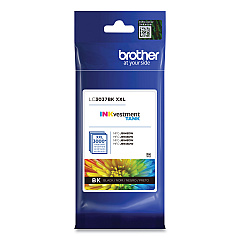
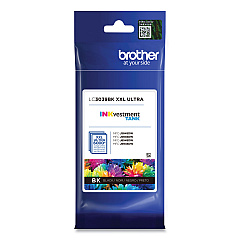
Brother HL-L6100 DW Black Ink Cartridges

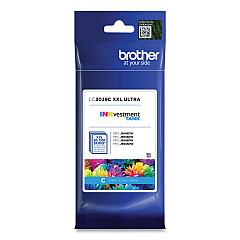
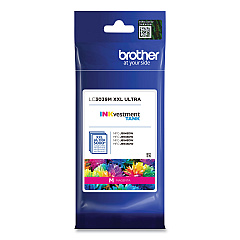
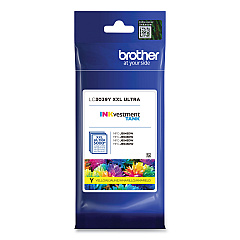
Brother HL-L6100 DW Color Ink Cartridges

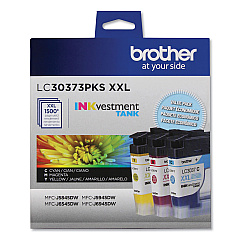
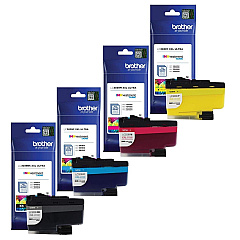
Brother HL-L6100 DW Ink Set

Maximize your printing efficiency with Brother HL-L6100 DW Ink Cartridges, designed to deliver exceptional quality and value. Choose from a range of options including the Super High Yield LC3037 series, Ultra High Yield LC3039 series, and convenient value packs. These cartridges offer vibrant colors and crisp black text, perfect for businesses, schools, and healthcare facilities requiring high-volume printing. The LC3037 series provides extended page yields, while the LC3039 series offers even greater capacity for uninterrupted productivity. Available in individual colors (Black, Cyan, Magenta, and Yellow) or cost-effective multi-packs, these genuine Brother cartridges ensure optimal performance and longevity for your HL-L6100 DW printer. Trust in the reliability and consistency of Brother ink to produce professional-quality documents and images that make a lasting impression.

Brother HL-L6100 DW Ink Cartridges FAQs

  • What is the difference between LC3037 and LC3039 cartridges?

    LC3037 are Super High Yield cartridges, while LC3039 are Ultra High Yield cartridges with even greater capacity.

  • Are these cartridges compatible with other Brother printers?

    These cartridges are specifically designed for the Brother HL-L6100 DW printer. Always check your printer's compatibility before purchasing.

  • How many pages can I print with these cartridges?

    Page yield varies by cartridge model and print usage. Check the product specifications for detailed yield information.

  • Can I use third-party ink cartridges in my Brother HL-L6100 DW?

    While third-party cartridges may work, using genuine Brother cartridges ensures optimal print quality and printer performance.

  • How long do these ink cartridges last?

    Cartridge life depends on usage frequency and print volume. Properly stored, unopened cartridges typically last up to two years.

  • Is it more cost-effective to buy individual cartridges or value packs?

    Value packs often offer better cost savings for users who frequently print in color and replace multiple cartridges simultaneously.

  • How do I install these ink cartridges?

    Refer to your printer's user manual for step-by-step installation instructions. Generally, it involves opening the ink cartridge cover and inserting the new cartridge until it clicks into place.

  • Are these cartridges environmentally friendly?

    Brother offers a cartridge recycling program to minimize environmental impact. Check their website for details on how to participate.

  • What should I do if my printer doesn't recognize the new cartridge?

    Ensure the cartridge is properly installed and compatible with your printer model. If issues persist, clean the printer's contacts and try reinserting the cartridge.

  • Can I use these cartridges if I've previously used a different brand?

    Yes, but it's recommended to clean the print heads when switching brands to ensure optimal performance and prevent potential issues.

Warehouse Locations

Policy & Agreement | Copyright © 1995-2026 BlueDogInk.com
