









Ads

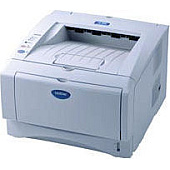
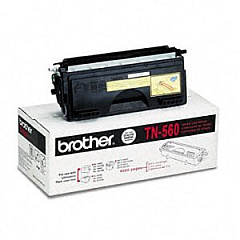
Brother HL-5070N Black Toner Cartridges

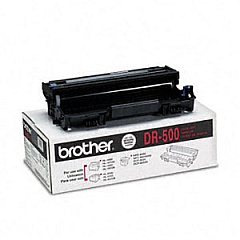
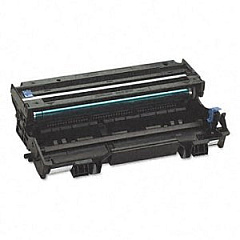
Brother HL-5070N Drum Units

Brother HL-5070N Copy Paper

Ensure optimal performance for your Brother HL-5070N printer with genuine Brother HL-5070N Toner Cartridges. These high-quality supplies are designed to deliver crisp, professional-grade prints for businesses, educational institutions, government offices, healthcare facilities, and wholesale operations. The Brother DR500 Drum Unit offers long-lasting reliability, while the Brother TN560 Black Toner Cartridge provides exceptional coverage and yield. By using authentic Brother supplies, you'll maximize your printer's efficiency and minimize downtime. These toner cartridges are engineered to work seamlessly with your Brother HL-5070N, ensuring consistent, high-quality output for all your printing needs. Whether you're printing important documents, reports, or correspondence, trust in the superior quality and performance of genuine Brother HL-5070N Toner Cartridges to meet your demanding printing requirements.

Brother HL-5070N Toner Cartridges FAQs

  • What is the page yield of the Brother TN560 Black Toner Cartridge?

    The Brother TN560 Black Toner Cartridge has an approximate page yield of 6,500 pages at 5% coverage.

  • How often should I replace the Brother DR500 Drum Unit?

    The Brother DR500 Drum Unit typically needs replacement after approximately 20,000 pages, depending on usage.

  • Are these toner cartridges compatible with other Brother printer models?

    While these cartridges are designed for the Brother HL-5070N, they may be compatible with other Brother models. Check your printer's manual or the Brother website for compatibility information.

  • Can I use third-party toner cartridges in my Brother HL-5070N printer?

    While third-party cartridges may work, using genuine Brother toner cartridges ensures optimal print quality and prevents potential damage to your printer.

  • How do I install the Brother TN560 Black Toner Cartridge?

    To install, open the front cover, remove the old cartridge, unpack the new one, and insert it firmly into the printer until it clicks into place.

  • What should I do with my used toner cartridges?

    Brother offers a recycling program for used toner cartridges. Visit their website or contact customer support for information on how to recycle your used cartridges.

  • How can I extend the life of my toner cartridge?

    To extend cartridge life, use draft mode for non-critical prints, avoid unnecessary printing, and ensure your printer is in a clean, dust-free environment.

  • Does the Brother HL-5070N use separate ink and toner?

    No, the Brother HL-5070N is a laser printer that uses toner cartridges only. It does not require separate ink cartridges.

  • How do I know when it's time to replace my toner cartridge?

    Your printer will display a 'Toner Low' or 'Replace Toner' message when it's time to replace the cartridge. You may also notice a decrease in print quality.

  • Are these toner cartridges covered by a warranty?

    Yes, genuine Brother toner cartridges are covered by a limited warranty. Check the packaging or Brother's website for specific warranty details.

Warehouse Locations

Policy & Agreement | Copyright © 1995-2026 BlueDogInk.com
