





Ads

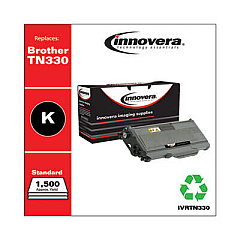
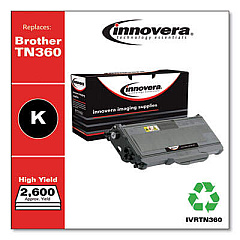
Brother HL-2150 N Black Toner Cartridges

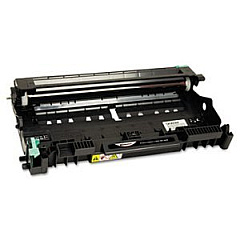
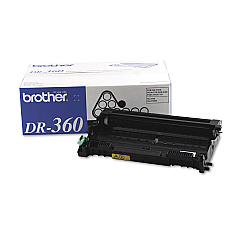
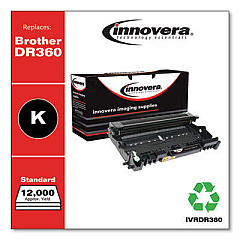
Brother HL-2150 N Drum Units

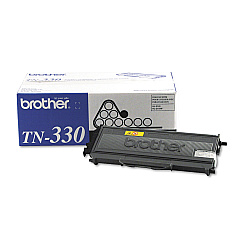
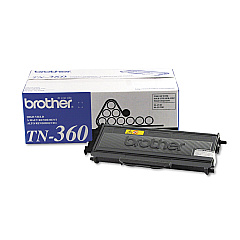
Ensure uninterrupted printing with high-quality Brother HL-2150 N Toner Cartridges. These reliable supplies are essential for maintaining the performance of your Brother HL-2150 N printer, delivering crisp, professional-looking documents every time. The lineup includes the long-lasting Brother DR360 Drum Unit, which helps produce sharp images and text. For everyday printing needs, choose the Brother TN330 Black Toner Cartridge, offering standard yield at an economical price. For high-volume printing environments, the Brother TN360 Black Toner Cartridge is the ideal choice, providing extended yield and lower cost per page. These genuine Brother supplies are designed to work seamlessly with your printer, ensuring optimal print quality, reducing waste, and minimizing printer downtime. Invest in Brother HL-2150 N Toner Cartridges to keep your business, school, healthcare facility, or government office running efficiently.

Brother HL-2150 N Toner Cartridges FAQs

  • How long does a Brother TN330 toner cartridge last?

    The Brother TN330 toner cartridge typically yields about 1,500 pages based on 5% page coverage.

  • What's the difference between TN330 and TN360 cartridges?

    The TN360 is a high-yield cartridge that produces about 2,600 pages, while the TN330 is a standard-yield cartridge producing about 1,500 pages.

  • How often should I replace the DR360 drum unit?

    The DR360 drum unit typically needs replacement after processing about 12,000 pages.

  • Are these cartridges compatible with other Brother printers?

    Yes, these cartridges are compatible with several Brother printer models. Always check your printer's manual for specific compatibility.

  • Can I use third-party toner cartridges in my Brother HL-2150 N?

    While third-party cartridges may work, using genuine Brother cartridges ensures optimal print quality and prevents potential damage to your printer.

  • How can I tell if my toner cartridge needs replacement?

    Your printer will display a 'Toner Low' or 'Replace Toner' message when the cartridge is running low or empty.

  • What's the shelf life of unopened toner cartridges?

    Unopened toner cartridges typically have a shelf life of 1-2 years when stored properly in a cool, dry place.

  • Can I recycle used toner cartridges?

    Yes, Brother offers a recycling program for used toner cartridges. Check their website for details on how to participate.

  • How do I install a new toner cartridge in my Brother HL-2150 N?

    Open the front cover, remove the old cartridge, unpack the new one, and insert it until it clicks into place. Close the cover to complete installation.

  • What should I do if my printer doesn't recognize the new toner cartridge?

    Try removing and reinserting the cartridge. If the issue persists, ensure you're using a genuine Brother cartridge and contact Brother support for assistance.

Warehouse Locations

Policy & Agreement | Copyright © 1995-2026 BlueDogInk.com
