





Ads

Brother FAX-1360 Black Ink Cartridges

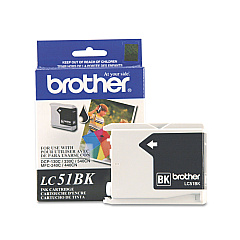
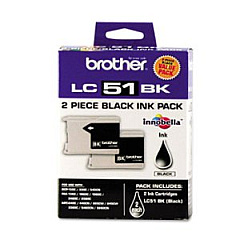
Keep your Brother FAX-1360 running smoothly with genuine Brother FAX-1360 Ink Cartridges. These high-quality ink cartridges ensure crisp, clear faxes and prints every time. The Brother LC512PKS Black Ink Cartridge Twin Pack offers excellent value, providing double the printing capacity at a cost-effective price. For those who prefer individual cartridges, the Brother LC51BK Black Ink Cartridge is also available. Both options deliver superior print quality and reliability, minimizing downtime and maximizing productivity. These cartridges are designed specifically for the Brother FAX-1360, guaranteeing optimal performance and longevity. Whether you're in a busy office or working from home, these ink cartridges will meet your faxing and printing needs with consistency and efficiency. Don't compromise on quality – choose genuine Brother ink cartridges for your FAX-1360 and experience the difference in your documents.

Brother FAX-1360 Fax Machines Supplies FAQs

  • How long do Brother FAX-1360 ink cartridges typically last?

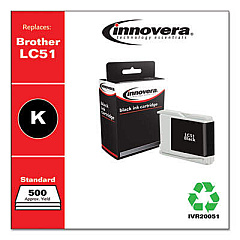
    The lifespan of ink cartridges varies depending on usage, but on average, they can last for about 500 pages.

  • Are these ink cartridges compatible with other Brother printer models?

    While these cartridges are designed for the Brother FAX-1360, they may be compatible with other Brother models. Always check your printer's manual for compatibility.

  • Can I use third-party ink cartridges in my Brother FAX-1360?

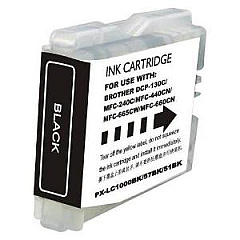
    While third-party cartridges may work, using genuine Brother cartridges ensures optimal performance and prevents potential damage to your printer.

  • How do I install new ink cartridges in my Brother FAX-1360?

    Open the ink cartridge cover, remove the old cartridge, insert the new one until it clicks into place, and close the cover. The printer will automatically recognize the new cartridge.

  • What's the difference between the twin pack and individual cartridges?

    The twin pack (LC512PKS) contains two black ink cartridges, offering better value for high-volume users. Individual cartridges (LC51BK) are sold separately.

  • How can I tell when my ink cartridge needs replacing?

    Your Brother FAX-1360 will display a low ink warning on its LCD screen when the cartridge is running low.

  • Are these ink cartridges recyclable?

    Yes, Brother offers a recycling program for used ink cartridges. Check their website for details on how to participate.

  • What should I do if my printer doesn't recognize the new cartridge?

    Try removing and reinserting the cartridge. If the issue persists, clean the cartridge contacts and try again. If problems continue, contact Brother support.

  • Can I store unused ink cartridges for later use?

    Yes, store unopened cartridges in a cool, dry place. Once opened, use within six months for best results.

  • Does using genuine Brother ink cartridges affect my printer's warranty?

    Using genuine Brother ink cartridges helps maintain your printer's warranty. Using third-party cartridges may void the warranty if they cause damage to the printer.

Warehouse Locations

Policy & Agreement | Copyright © 1995-2026 BlueDogInk.com
