




Ads

Astro Machine AstroJet 500P Black Ink Cartridges

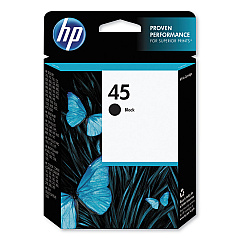
Enhance your printing experience with Astro Machine AstroJet 500P Ink Cartridges, designed specifically for the AstroJet 500P printer. These high-quality cartridges ensure crisp, professional results for businesses, educational institutions, government agencies, healthcare facilities, and wholesale operations. Compatible with the reliable HP 45 Black Ink Cartridge (51645A), these cartridges deliver exceptional print quality and longevity. The Astro Machine AstroJet 500P Ink Cartridges are engineered to meet the demands of high-volume printing environments, offering consistent performance and cost-effective solutions. Whether you're printing important documents, labels, or marketing materials, these cartridges provide the reliability and precision you need. With easy installation and optimal ink usage, these cartridges minimize downtime and maximize productivity. Choose Astro Machine AstroJet 500P Ink Cartridges for superior print quality and unmatched efficiency in your daily operations.

Astro Machine AstroJet 500P Ink Cartridges FAQs

  • Are Astro Machine AstroJet 500P Ink Cartridges compatible with other printers?

    These cartridges are specifically designed for the AstroJet 500P printer and may not be compatible with other models.

  • How many pages can I print with one cartridge?

    Page yield varies depending on print density and content, but typically ranges from 800 to 1,000 pages per cartridge.

  • Are these cartridges refillable?

    While it's possible to refill these cartridges, it's not recommended as it may affect print quality and potentially damage the printer.

  • How long do these cartridges last before expiring?

    Unopened cartridges typically have a shelf life of 24 months from the date of manufacture.

  • Can I use third-party ink cartridges instead of the HP 45 Black Ink Cartridge?

    While third-party cartridges may work, using genuine HP cartridges ensures optimal performance and print quality.

  • How do I properly store unused ink cartridges?

    Store cartridges in a cool, dry place at room temperature, away from direct sunlight and heat sources.

  • What should I do if the cartridge is not recognized by the printer?

    Try removing and reinserting the cartridge, cleaning the contacts, or restarting the printer. If issues persist, contact customer support.

  • Are these cartridges environmentally friendly?

    HP offers a recycling program for used cartridges, promoting environmental sustainability.

  • How do I know when it's time to replace the cartridge?

    The printer will typically display a low ink warning when it's time to replace the cartridge.

  • Can I mix old and new ink cartridges in the printer?

    It's best to replace all cartridges at the same time to ensure consistent print quality and avoid potential issues.

Warehouse Locations

Policy & Agreement | Copyright © 1995-2026 BlueDogInk.com
