








Ads

Xerox WorkCentre 6027 Black Toner Cartridges

Xerox WorkCentre 6027 Color Toner Cartridges

Xerox WorkCentre 6027 Toner Set

Xerox WorkCentre 6027 Copy Paper

Xerox WorkCentre 6027 Warranty and Services

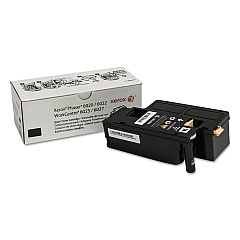
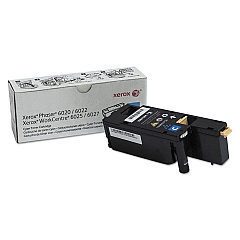
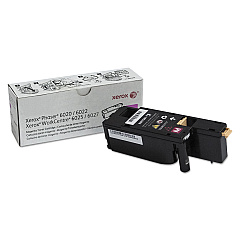
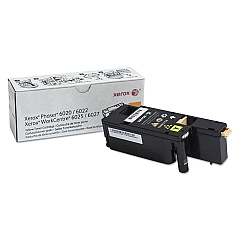
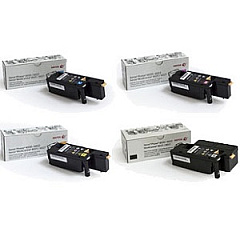
Enhance your printing experience with genuine Xerox WorkCentre 6027 Toner Cartridges. These high-quality cartridges are designed to deliver exceptional color accuracy and sharp text for all your professional documents. The range includes Xerox 106R02756 Cyan, 106R02757 Magenta, 106R02758 Yellow, and 106R02759 Black Toner Cartridges, ensuring vibrant and consistent results across all your prints. For added convenience and cost-effectiveness, consider the Xerox 6022-6027 Toner Bundle, which combines all four colors in one package. These cartridges are optimized for use with the Xerox WorkCentre 6027 printer, guaranteeing compatibility and peak performance. Whether you're printing reports, presentations, or marketing materials, these toner cartridges will help you achieve professional-grade results every time. Trust in Xerox's renowned quality to keep your office productive and your prints looking their best.

Xerox WorkCentre 6027 Toner Cartridges FAQs

  • What is the page yield for each Xerox WorkCentre 6027 toner cartridge?

    The page yield varies by color. Black cartridges typically yield around 2,000 pages, while color cartridges (cyan, magenta, yellow) yield approximately 1,000 pages each.

  • Are these toner cartridges compatible with other Xerox printers?

    These cartridges are specifically designed for the Xerox WorkCentre 6027 printer. They may be compatible with some other models, but it's best to check your printer's specifications.

  • How long do unopened toner cartridges last?

    Unopened toner cartridges can last up to two years if stored properly in a cool, dry place away from direct sunlight.

  • Is it more cost-effective to buy the toner bundle?

    Yes, purchasing the Xerox 6022-6027 Toner Bundle is often more cost-effective than buying individual cartridges, especially if you frequently print in color.

  • Can I use third-party toner cartridges in my Xerox WorkCentre 6027?

    While third-party cartridges may work, using genuine Xerox toner cartridges ensures the best print quality and prevents potential damage to your printer.

  • How do I know when it's time to replace my toner cartridge?

    Your Xerox WorkCentre 6027 will display a message on the control panel when a toner cartridge is running low or needs replacement.

  • Are these toner cartridges environmentally friendly?

    Xerox is committed to sustainability. These cartridges can be recycled through Xerox's Green World Alliance program.

  • What should I do if I experience print quality issues?

    First, ensure you're using genuine Xerox toner cartridges. If issues persist, try cleaning the print heads or running a printer maintenance cycle as described in your user manual.

  • Can I buy these toner cartridges in bulk for my office?

    Yes, bulk purchasing options are available for businesses. Contact the supplier for information on volume discounts.

  • How do I install a new toner cartridge in my Xerox WorkCentre 6027?

    Installation is simple. Open the front cover, remove the old cartridge, and insert the new one until it clicks into place. Detailed instructions are provided in your printer's user manual.

Warehouse Locations

Policy & Agreement | Copyright © 1995-2026 BlueDogInk.com
