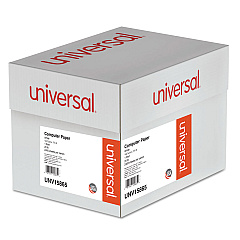





Oki Microline 421 9 Pin Dot Matrix Printers Supplies

Ads

Oki Microline 421 Dot Matrix Ribbon

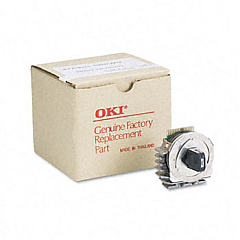
Oki Microline 421 Printheads

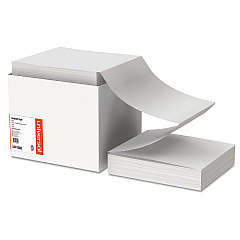
Oki Microline 421 Copy Paper

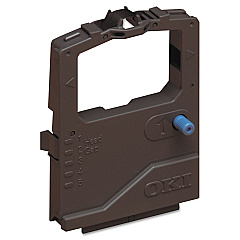
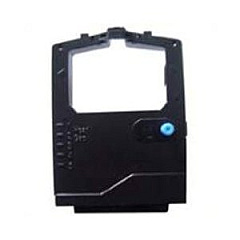
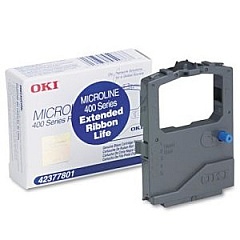
Enhance your printing experience with genuine Oki Microline 421 Ink Cartridges, designed to deliver exceptional quality and reliability. The Oki Microline 421 printer is a versatile workhorse for businesses, schools, and healthcare facilities, requiring top-notch supplies to maintain its performance. Choose from the Okidata 41923901 Printhead for crisp text and graphics, or the Okidata 42377801 Black Ribbon Cartridge for consistent, long-lasting prints. For high-volume printing needs, consider the Okidata 42377801 Ribbon Cartridge Pack, ensuring you're always prepared for your next big project. These authentic Oki supplies are engineered to work seamlessly with your Microline 421 printer, guaranteeing optimal output and minimizing downtime. Trust in the quality and durability of Oki Microline 421 Ink Cartridges to keep your printing operations running smoothly and efficiently.

Oki Microline 421 9 Pin Dot Matrix Printers Supplies FAQs

  • How long does an Oki Microline 421 ribbon cartridge typically last?

    An Oki Microline 421 ribbon cartridge typically lasts for approximately 4 million characters, depending on usage and print density.

  • Are Oki Microline 421 Ink Cartridges compatible with other Oki printer models?

    Oki Microline 421 Ink Cartridges are specifically designed for the Microline 421 printer and may not be compatible with other models. Always check your printer's specifications before purchasing supplies.

  • How often should I replace the printhead on my Oki Microline 421?

    The printhead typically lasts for several ribbon cartridge changes. Replace it when you notice a decline in print quality that persists even after changing the ribbon.

  • Can I use third-party ink cartridges in my Oki Microline 421 printer?

    While third-party cartridges may work, using genuine Oki supplies ensures optimal performance and helps maintain your printer's warranty.

  • How do I install a new ribbon cartridge in the Oki Microline 421?

    To install a new ribbon cartridge, open the printer cover, remove the old cartridge, align the new cartridge with the print head, and snap it into place. Refer to your printer's manual for detailed instructions.

  • What's the difference between the single ribbon cartridge and the ribbon cartridge pack?

    The single ribbon cartridge is ideal for low to moderate printing needs, while the ribbon cartridge pack is more cost-effective for high-volume printing environments.

  • How can I tell when it's time to replace my Oki Microline 421 ribbon cartridge?

    Replace the ribbon cartridge when you notice faded or light prints, or when the ribbon appears worn or frayed upon visual inspection.

  • Are Oki Microline 421 Ink Cartridges environmentally friendly?

    Oki designs its cartridges with environmental considerations in mind. Many components are recyclable, and Oki offers a recycling program for used cartridges.

  • Can I store unused Oki Microline 421 Ink Cartridges for long periods?

    Yes, you can store unused cartridges for extended periods. Keep them in their original packaging in a cool, dry place away from direct sunlight.

  • Does using genuine Oki Microline 421 Ink Cartridges affect my printer's warranty?

    Using genuine Oki supplies helps maintain your printer's warranty. Non-Oki products may void the warranty if they cause damage to the printer.

Warehouse Locations

Policy & Agreement | Copyright © 1995-2026 BlueDogInk.com
