













Ads

Lexmark XC2235 Drum Units

Lexmark XC2235 Developer Units

Lexmark XC2235 Waste Toner Kits

Lexmark XC2235 Maintenance Kits

Lexmark XC2235 Paper Trays

Lexmark XC2235 Printer Accessories

Lexmark XC2235 Warranty and Services

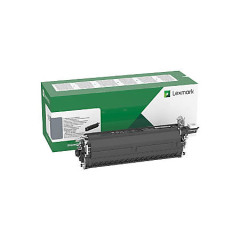
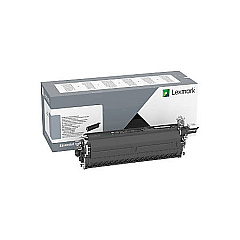
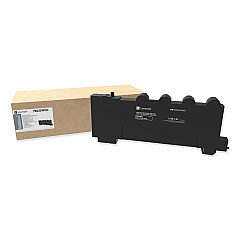
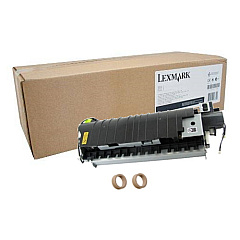
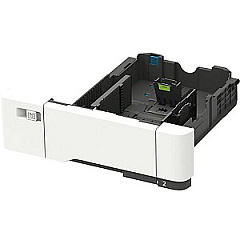
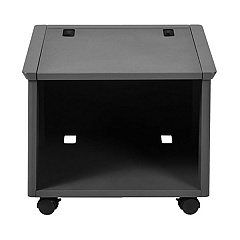
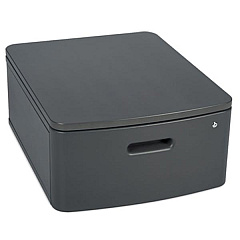
Enhance your printing experience with genuine Lexmark XC2235 Toner Cartridges and accessories. This comprehensive range includes essential components like the 320+GB Hard Disk Drive, Swivel Cabinet, and Adjustable Stand for improved functionality. Boost your printer's capacity with the 550-Sheet Tray and 650-Sheet Duo Tray. Maintain peak performance with the Fuser Maintenance Kit and various Developer Units for black, cyan, magenta, and yellow. The Waste Toner Bottle and Imaging Kits ensure optimal print quality, while the Memory Expansion DDR3 enhances processing speed. For added protection, consider the Surge Protective Device. These authentic Lexmark supplies guarantee superior print quality, reliability, and longevity for your XC2235 printer, making it an ideal choice for businesses, educational institutions, healthcare facilities, and government offices seeking professional-grade printing solutions.

Lexmark XC2235 Printers Supplies FAQs

  • Are these Lexmark XC2235 Toner Cartridges genuine?

    Yes, all products listed are genuine Lexmark supplies designed specifically for the XC2235 printer.

  • How often should I replace the Waste Toner Bottle?

    The Waste Toner Bottle should be replaced when indicated by your printer, typically after several toner cartridge changes.

  • Can I use third-party toner cartridges in my Lexmark XC2235?

    While third-party cartridges may work, using genuine Lexmark supplies ensures optimal performance and maintains your printer's warranty.

  • What is the purpose of the Fuser Maintenance Kit?

    The Fuser Maintenance Kit helps maintain print quality and extends the life of your printer by replacing worn fuser components.

  • How do I know when to replace the Imaging Kit?

    Your printer will display a message when it's time to replace the Imaging Kit, typically after processing a certain number of pages.

  • What's the difference between the Black Imaging Kit and the Black and Color Imaging Kit?

    The Black Imaging Kit is for monochrome printing, while the Black and Color Imaging Kit is for both black and color printing.

  • Is the Memory Expansion DDR3 necessary for my printer?

    The Memory Expansion can improve performance, especially when printing complex documents or handling large print jobs.

  • How many additional sheets can the 550-Sheet Tray hold?

    As the name suggests, the 550-Sheet Tray can hold an additional 550 sheets of paper, increasing your printer's capacity.

  • What is the purpose of the Surge Protective Device?

    The Surge Protective Device helps protect your printer from damage caused by power surges or electrical fluctuations.

  • Are these supplies compatible with other Lexmark printer models?

    These supplies are specifically designed for the Lexmark XC2235 model. Always check compatibility before purchasing for other models.

Warehouse Locations

Policy & Agreement | Copyright © 1995-2026 BlueDogInk.com
