









Ads

Kyocera FS-4200DN Black Toner Cartridges

Kyocera FS-4200DN Toner Set

Kyocera FS-4200DN Maintenance Kits

Kyocera FS-4200DN Printer Accessories

Kyocera FS-4200DN Copy Paper

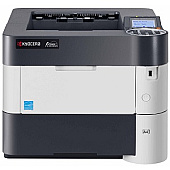
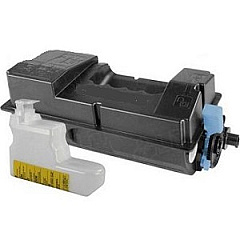
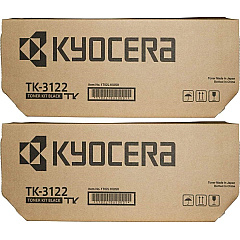
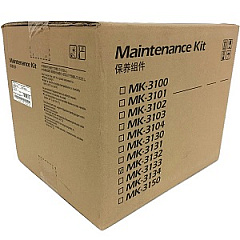
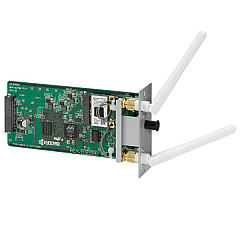
Enhance your printing efficiency with genuine Kyocera FS-4200DN Toner Cartridges and accessories. This high-performance printer demands top-quality supplies to maintain its exceptional output. The Kyocera IB-51 Wireless Interface adds convenient connectivity options, while the MK3132 Maintenance Kit ensures your printer operates at peak performance. For uninterrupted printing, choose the TK-3122 Black Toner Cartridge 2-Pack, offering double the capacity of a single cartridge. The TK3122 Black Toner Cartridge delivers crisp, professional-quality prints for all your business needs. Whether you're in a corporate office, educational institution, government agency, or healthcare facility, these Kyocera supplies are designed to meet the demands of high-volume printing environments. Invest in genuine Kyocera products to maximize your FS-4200DN's lifespan and maintain consistent, superior print quality.

Kyocera FS-4200DN Toner Cartridges FAQs

  • What is the page yield of the Kyocera TK3122 Black Toner Cartridge?

    The Kyocera TK3122 Black Toner Cartridge has a page yield of approximately 21,000 pages at 5% coverage.

  • Is the Kyocera IB-51 Wireless Interface compatible with all FS-4200DN printers?

    Yes, the Kyocera IB-51 Wireless Interface is designed to be compatible with all FS-4200DN printers.

  • How often should I replace the Kyocera MK3132 Maintenance Kit?

    The Kyocera MK3132 Maintenance Kit should be replaced after approximately 500,000 pages, depending on usage.

  • Can I use third-party toner cartridges in my Kyocera FS-4200DN printer?

    While third-party cartridges may work, using genuine Kyocera toner cartridges is recommended to ensure optimal print quality and prevent potential damage to your printer.

  • What's the benefit of purchasing the TK-3122 Black Toner Cartridge 2-Pack?

    The 2-Pack offers convenience and potential cost savings, ensuring you have a replacement cartridge on hand and reducing the frequency of orders.

  • How do I install the Kyocera IB-51 Wireless Interface?

    The IB-51 can be easily installed by following the instructions in the user manual. It typically involves inserting the interface card into a designated slot on the printer.

  • Are these supplies compatible with other Kyocera printer models?

    These supplies are specifically designed for the FS-4200DN model. Always check compatibility before purchasing supplies for different printer models.

  • What's included in the Kyocera MK3132 Maintenance Kit?

    The MK3132 Maintenance Kit typically includes a drum unit, developer unit, and various rollers and pads necessary for printer maintenance.

  • How can I maximize the lifespan of my Kyocera FS-4200DN Toner Cartridges?

    To maximize cartridge lifespan, store them in a cool, dry place, shake them gently before use, and use the printer regularly to prevent toner from settling.

  • Does BlueDogInk offer a warranty on these Kyocera supplies?

    BlueDogInk typically offers a warranty on genuine Kyocera supplies. Check the product page or contact customer service for specific warranty information.

Warehouse Locations

Policy & Agreement | Copyright © 1995-2026 BlueDogInk.com
