




Ads

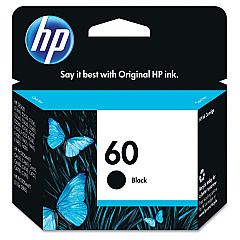
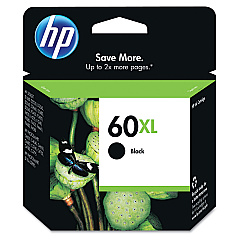
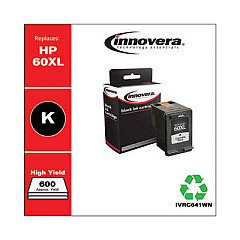
HP PhotoSmart C4600 Series Black Ink Cartridges

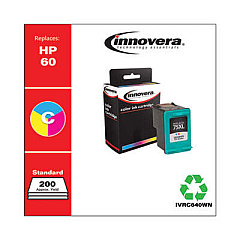
HP PhotoSmart C4600 Series Color Ink Cartridges

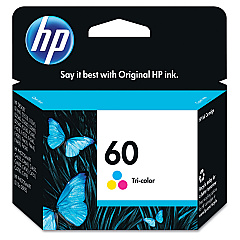
Ensure your HP PhotoSmart C4600 Series printer continues to deliver stunning prints with our premium HP PhotoSmart C4600 Series Ink Cartridges. These high-quality cartridges are designed specifically for your printer, guaranteeing optimal performance and vibrant results. Choose from the HP CC640WN Black Ink Cartridge for crisp text, the HP CC641WN Black Ink Cartridge for higher-volume printing, or the HP CC643WN Tricolor Ink Cartridge for vivid color photos and graphics. Our genuine HP ink cartridges provide superior print quality, longer-lasting prints, and more pages per cartridge compared to generic alternatives. Whether you're printing important documents for your business, educational materials for your classroom, or critical patient information in healthcare settings, these cartridges ensure professional-grade results every time. Trust in the reliability and consistency of HP PhotoSmart C4600 Series Ink Cartridges for all your printing needs.

HP PhotoSmart C4600 Series Ink Cartridges FAQs

  • Are these ink cartridges compatible with all HP PhotoSmart C4600 Series printers?

    Yes, these ink cartridges are designed to work with all HP PhotoSmart C4600 Series printers.

  • What's the difference between the CC640WN and CC641WN black ink cartridges?

    The CC641WN is a high-capacity cartridge that holds more ink and is suitable for higher-volume printing compared to the standard CC640WN.

  • How many pages can I print with these cartridges?

    Page yield varies depending on the specific cartridge and print content, but typically ranges from 200-600 pages for standard cartridges and up to 800 pages for high-capacity ones.

  • Are these genuine HP cartridges?

    Yes, these are genuine HP ink cartridges, ensuring the best quality and compatibility with your printer.

  • How long do these ink cartridges last?

    Unopened cartridges typically last up to 24 months. Once installed, it's best to use them within 6 months for optimal print quality.

  • Can I use third-party ink cartridges in my HP PhotoSmart C4600 Series printer?

    While third-party cartridges may work, we recommend using genuine HP cartridges for the best print quality and to avoid potential printer damage.

  • How do I install these ink cartridges?

    Simply open your printer's ink cartridge access door, remove the old cartridge, and insert the new one until it clicks into place. Close the access door, and you're ready to print.

  • Are these cartridges environmentally friendly?

    HP offers a recycling program for used ink cartridges, making them an environmentally responsible choice.

  • Can I buy these cartridges in bulk?

    Yes, we offer bulk purchasing options for businesses and organizations that require large quantities of ink cartridges.

  • What should I do if my printer doesn't recognize the new cartridge?

    Try removing and reinserting the cartridge. If the issue persists, clean the cartridge contacts and try again. If problems continue, contact HP support for assistance.

Warehouse Locations

Policy & Agreement | Copyright © 1995-2026 BlueDogInk.com
