




Ads

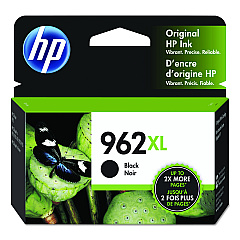
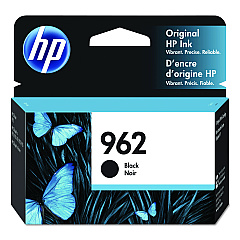
HP OfficeJet Pro 9018 Black Ink Cartridges

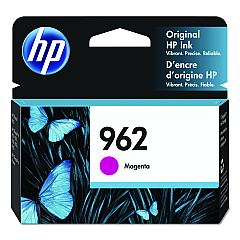
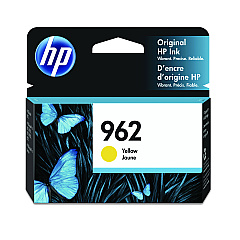
HP OfficeJet Pro 9018 Color Ink Cartridges

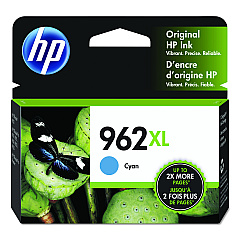
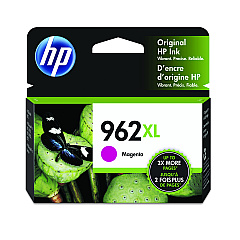
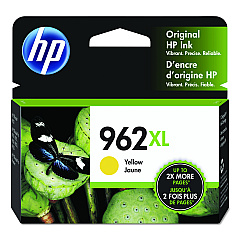
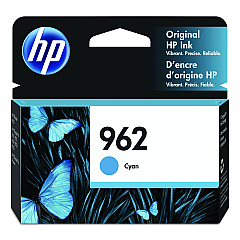
Enhance your printing experience with genuine HP OfficeJet Pro 9018 Ink Cartridges. These high-quality cartridges are designed to deliver exceptional results for businesses, schools, government offices, and healthcare facilities. Choose from a range of options including HP 3HZ96AN Cyan, 3HZ97AN Magenta, 3HZ98AN Yellow, and 3HZ99AN Black cartridges for vibrant color prints. For extended print runs, opt for the high-yield HP 3JA00AN Cyan, 3JA01AN Magenta, 3JA02AN Yellow, and 3JA03AN Black cartridges. These ink cartridges ensure crisp text, sharp graphics, and fade-resistant prints that make a lasting impression. Compatible with the HP OfficeJet Pro 9018 printer, these cartridges offer reliable performance and consistent output quality. Maximize your productivity and minimize downtime with these dependable HP OfficeJet Pro 9018 Ink Cartridges, designed to meet the demands of busy work environments.

HP OfficeJet Pro 9018 Ink Cartridges FAQs

  • What is the difference between standard and high-yield cartridges?

    High-yield cartridges contain more ink and are designed for higher volume printing, offering a lower cost per page compared to standard cartridges.

  • How long do HP OfficeJet Pro 9018 Ink Cartridges typically last?

    The lifespan of cartridges varies depending on usage, but standard cartridges typically yield around 700-1000 pages, while high-yield cartridges can print up to 2000 pages.

  • Are these cartridges compatible with other HP printers?

    These cartridges are specifically designed for the HP OfficeJet Pro 9018 printer and may not be compatible with other models.

  • Can I use third-party ink cartridges in my HP OfficeJet Pro 9018?

    While third-party cartridges may work, using genuine HP cartridges ensures optimal print quality and prevents potential damage to your printer.

  • How do I install new ink cartridges in my HP OfficeJet Pro 9018?

    Open the front access door, wait for the carriage to move to the center, then remove the old cartridge and insert the new one until it clicks into place.

  • What should I do if my printer doesn't recognize the new cartridge?

    Try removing and reinserting the cartridge, cleaning the contacts, or running the printer's alignment process. If issues persist, contact HP support.

  • Can I recycle used HP ink cartridges?

    Yes, HP offers a free recycling program for used ink cartridges. Visit their website or check with local office supply stores for recycling options.

  • How should I store unused ink cartridges?

    Store cartridges in their original packaging at room temperature, away from direct sunlight and heat sources, to maintain their quality and shelf life.

  • What's the shelf life of unopened HP ink cartridges?

    Unopened HP ink cartridges typically have a shelf life of 24 months from the date of manufacture when stored properly.

  • Do these cartridges come with a warranty?

    Yes, genuine HP ink cartridges come with a warranty against defects in materials and workmanship for the period of the cartridge's shelf life or until the HP ink is depleted, whichever occurs first.

Warehouse Locations

Policy & Agreement | Copyright © 1995-2026 BlueDogInk.com
