




Ads

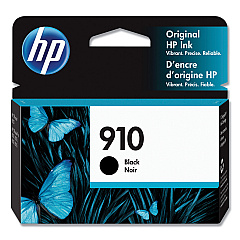
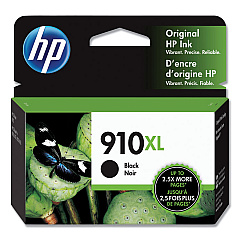
HP OfficeJet Pro 8020 Black Ink Cartridges

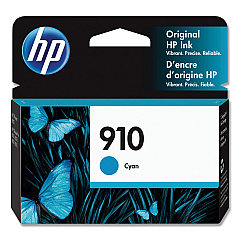
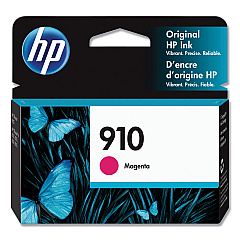
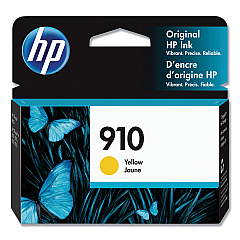
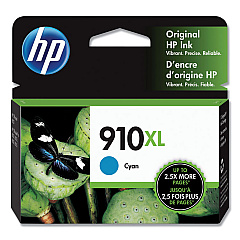
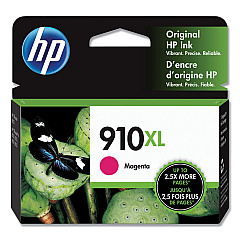
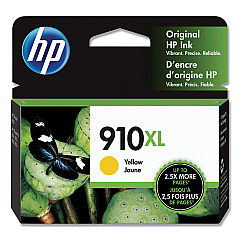
HP OfficeJet Pro 8020 Color Ink Cartridges

Enhance your printing experience with genuine HP OfficeJet Pro 8020 Ink Cartridges. These high-quality cartridges are designed to deliver exceptional results for your business, educational, healthcare, or wholesale needs. The comprehensive range includes HP 3YL58AN Cyan, HP 3YL59AN Magenta, HP 3YL60AN Yellow, and HP 3YL61AN Black cartridges for standard capacity, as well as HP 3YL62AN Cyan, HP 3YL63AN Magenta, HP 3YL64AN Yellow, and HP 3YL65AN Black cartridges for high capacity printing. These ink cartridges ensure crisp text, vibrant colors, and professional-quality documents every time. Compatible with the HP OfficeJet Pro 8020 printer series, these cartridges offer reliable performance and long-lasting prints. Choose HP OfficeJet Pro 8020 Ink Cartridges for consistent, high-quality results that meet your diverse printing needs.

HP OfficeJet Pro 8020 Ink Cartridges FAQs

  • What is the difference between standard and high capacity ink cartridges?

    High capacity cartridges contain more ink and can print more pages than standard cartridges, making them more cost-effective for high-volume printing.

  • How many pages can I print with HP OfficeJet Pro 8020 Ink Cartridges?

    Page yield varies depending on the specific cartridge and printing habits. Check the product specifications for detailed information on each cartridge's estimated page yield.

  • Are these cartridges compatible with other HP printer models?

    These cartridges are specifically designed for the HP OfficeJet Pro 8020 series. Always check your printer's compatibility before purchasing ink cartridges.

  • How long do HP OfficeJet Pro 8020 Ink Cartridges last?

    Cartridge life depends on usage frequency and print volume. Properly stored, unopened cartridges typically last up to 24 months.

  • Can I use third-party ink cartridges in my HP OfficeJet Pro 8020?

    While third-party cartridges may work, using genuine HP cartridges ensures optimal print quality and printer performance, and maintains your printer's warranty.

  • How do I install HP OfficeJet Pro 8020 Ink Cartridges?

    Open the printer's front access door, remove the old cartridge, and insert the new one until it clicks into place. Close the access door to complete installation.

  • Are these ink cartridges environmentally friendly?

    HP offers a recycling program for used ink cartridges, helping to reduce environmental impact. Check HP's website for details on their recycling initiatives.

  • What should I do if my printer doesn't recognize the new cartridge?

    Ensure the cartridge is properly installed and compatible with your printer model. If issues persist, clean the cartridge contacts and try again, or contact HP support.

  • Can I buy these cartridges in bulk for my business?

    Yes, many retailers offer bulk purchasing options for businesses. Contact the seller or HP directly for information on bulk orders and potential discounts.

  • How can I tell when it's time to replace my ink cartridge?

    Your printer will typically alert you when ink levels are low. You may also notice a decrease in print quality or faded text and images, indicating it's time for a replacement.

Warehouse Locations

Policy & Agreement | Copyright © 1995-2026 BlueDogInk.com
