




Ads

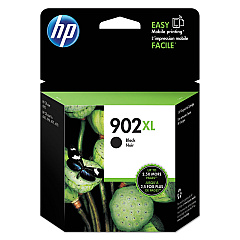
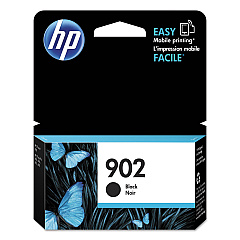
HP OfficeJet Pro 6978 All-in-One Black Ink Cartridges

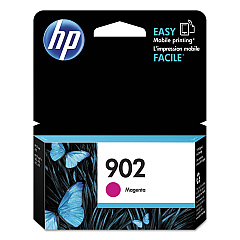
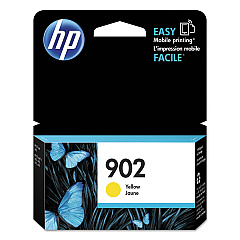
HP OfficeJet Pro 6978 All-in-One Color Ink Cartridges

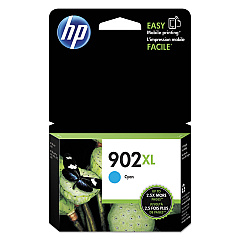
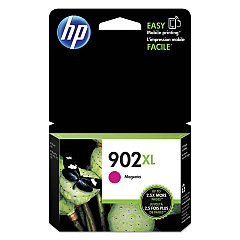
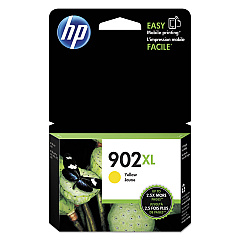
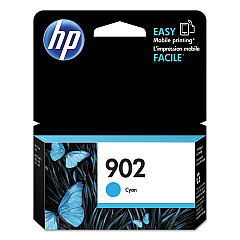
Enhance your printing experience with genuine HP OfficeJet Pro 6978 All-in-One Ink Cartridges. These high-quality cartridges are designed to deliver exceptional results for your business, educational, governmental, healthcare, or wholesale needs. The range includes HP T6L86AN Cyan, T6L90AN Magenta, T6L94AN Yellow, and T6L98AN Black cartridges for standard capacity, as well as HP T6M02AN Cyan, T6M06AN Magenta, T6M10AN Yellow, and T6M14AN Black cartridges for high capacity printing. These cartridges ensure crisp text, vibrant colors, and professional-quality documents every time. Compatible with the HP OfficeJet Pro 6978 All-in-One printer, these cartridges are easy to install and provide reliable performance. Choose HP OfficeJet Pro 6978 All-in-One Ink Cartridges for consistent, high-quality prints that meet your diverse printing needs while maximizing productivity and minimizing downtime.

HP OfficeJet Pro 6978 All-in-One Printers Supplies FAQs

  • What is the difference between standard and high capacity cartridges?

    High capacity cartridges (T6M02AN, T6M06AN, T6M10AN, T6M14AN) contain more ink and are designed for higher volume printing, while standard capacity cartridges (T6L86AN, T6L90AN, T6L94AN, T6L98AN) are suitable for regular use.

  • How long do these ink cartridges typically last?

    The lifespan of ink cartridges varies depending on usage, but high capacity cartridges generally last longer than standard capacity ones. Refer to the estimated page yield on the product packaging for more specific information.

  • Are these cartridges compatible with other HP printer models?

    These cartridges are specifically designed for the HP OfficeJet Pro 6978 All-in-One printer. They may not be compatible with other models, so always check your printer's compatibility before purchasing.

  • Can I use third-party or refilled cartridges instead?

    While third-party cartridges may work, using genuine HP cartridges ensures optimal print quality and printer performance. Using non-HP cartridges may void your printer warranty.

  • How do I install these ink cartridges?

    Installation is simple. Open the printer's ink cartridge access door, remove the old cartridge, insert the new one until it clicks into place, and close the access door. The printer will automatically align the new cartridge.

  • What should I do if my printer doesn't recognize the new cartridge?

    First, ensure the cartridge is properly installed. If the issue persists, clean the cartridge contacts and try again. If problems continue, contact HP support for assistance.

  • Can I buy these cartridges in bulk for my business?

    Yes, many retailers offer bulk purchasing options for businesses. Contact the seller or HP directly to inquire about bulk pricing and availability.

  • How should I store unused ink cartridges?

    Store unused cartridges in their original sealed packaging at room temperature. Avoid extreme temperatures and direct sunlight to maintain cartridge quality.

  • Are these cartridges environmentally friendly?

    HP offers a recycling program for used cartridges. You can return empty cartridges to HP or participating retailers for proper recycling, reducing environmental impact.

  • What's the shelf life of these ink cartridges?

    Unopened cartridges typically have a shelf life of 24 months from the date of manufacture. Always check the expiration date on the packaging before use.

Warehouse Locations

Policy & Agreement | Copyright © 1995-2026 BlueDogInk.com
