




Ads

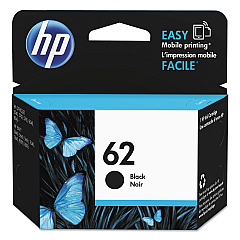
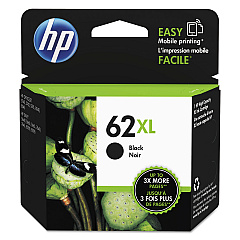
HP OfficeJet 250 Mobile All-in-One Black Ink Cartridges

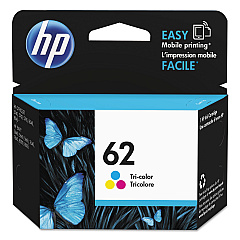
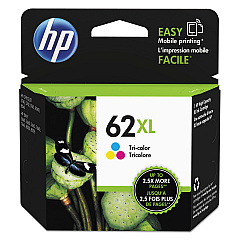
HP OfficeJet 250 Mobile All-in-One Color Ink Cartridges

HP OfficeJet 250 Mobile All-in-One Printer Accessories

Enhance your mobile printing experience with genuine HP OfficeJet 250 Mobile All-in-One Ink Cartridges. This versatile printer requires a range of high-quality ink cartridges to deliver exceptional results on-the-go. Choose from the HP C2P04AN and C2P05AN Black Ink Cartridges for crisp text, or the HP C2P06AN and C2P07AN Color Ink Cartridges for vibrant graphics and images. For uninterrupted printing, the HP M9L89A Mobile Printer Battery ensures your device stays powered up wherever you are. These cartridges are designed specifically for the HP OfficeJet 250, guaranteeing optimal performance and print quality. Whether you're a business professional, educator, healthcare worker, or government official, these ink supplies will keep you productive and your documents looking professional, no matter where your work takes you.

HP OfficeJet 250 Mobile All-in-One Printers Supplies FAQs

  • What ink cartridges are compatible with the HP OfficeJet 250 Mobile All-in-One?

    The HP OfficeJet 250 is compatible with HP C2P04AN and C2P05AN Black Ink Cartridges, and HP C2P06AN and C2P07AN Color Ink Cartridges.

  • Can I use third-party ink cartridges in the HP OfficeJet 250?

    While third-party cartridges may work, HP recommends using genuine HP ink cartridges for optimal performance and print quality.

  • How long does the HP M9L89A Mobile Printer Battery last?

    The battery life varies depending on usage, but it typically lasts for several hours of continuous printing.

  • Are these ink cartridges available in high-yield versions?

    Yes, the HP C2P05AN Black and HP C2P07AN Color cartridges are high-yield versions, offering more prints per cartridge.

  • How many pages can I print with each cartridge?

    Page yield varies depending on the specific cartridge and print content, but typically ranges from 200 to 600 pages.

  • Can I recycle these ink cartridges?

    Yes, HP offers a recycling program for used ink cartridges. Check HP's website for details on how to participate.

  • Is it necessary to replace all color cartridges at once?

    No, you can replace individual color cartridges as needed, helping to reduce waste and save money.

  • How do I know when it's time to replace an ink cartridge?

    The printer will display a low ink warning on its control panel when a cartridge needs to be replaced soon.

  • Can I use these cartridges in other HP printers?

    These cartridges are designed specifically for the HP OfficeJet 250 Mobile All-in-One and may not be compatible with other printer models.

  • How should I store unused ink cartridges?

    Store unused cartridges in their original packaging at room temperature, away from direct sunlight and heat sources, to maintain their quality.

Warehouse Locations

Policy & Agreement | Copyright © 1995-2026 BlueDogInk.com
