




Ads

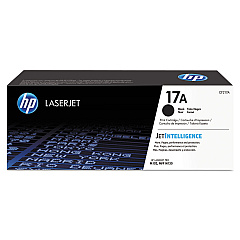
HP LaserJet Pro M102 Black Toner Cartridges

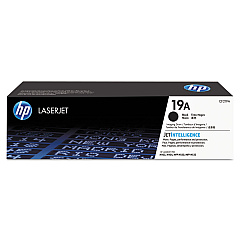
HP LaserJet Pro M102 Drum Units

Ensure optimal performance for your HP LaserJet Pro M102 printer with genuine HP LaserJet Pro M102 Toner Cartridges. These high-quality supplies are designed to deliver crisp, professional-grade prints consistently. The HP CF217A Black Toner Cartridge offers exceptional yield and coverage, perfect for busy offices and high-volume printing environments. For long-lasting image quality, pair it with the HP CF219A Imaging Drum, which helps maintain print clarity and sharpness throughout its lifecycle. These OEM cartridges are engineered to work seamlessly with your HP LaserJet Pro M102, minimizing paper jams and maximizing efficiency. By choosing authentic HP supplies, you're not only guaranteeing superior print results but also protecting your printer's warranty and reducing environmental impact through HP's recycling program. Invest in reliability and quality with genuine HP LaserJet Pro M102 Toner Cartridges for all your printing needs.

HP LaserJet Pro M102 Printers Supplies FAQs

  • What is the page yield of the HP CF217A Black Toner Cartridge?

    The HP CF217A Black Toner Cartridge has an approximate yield of 1,600 pages based on 5% coverage.

  • How often should I replace the HP CF219A Imaging Drum?

    The HP CF219A Imaging Drum typically lasts for about 12,000 pages, but this can vary depending on usage and print conditions.

  • Are these toner cartridges compatible with other HP printer models?

    These cartridges are specifically designed for the HP LaserJet Pro M102 series. Always check your printer's compatibility before purchasing.

  • Can I use third-party toner cartridges in my HP LaserJet Pro M102?

    While third-party cartridges may work, using genuine HP cartridges ensures optimal print quality and protects your printer's warranty.

  • How can I tell if my toner cartridge needs replacement?

    Your printer will typically display a low toner warning. You may also notice faded or inconsistent prints.

  • Is it necessary to replace the imaging drum and toner cartridge at the same time?

    No, they have different lifespans. Replace the toner cartridge when it's empty and the imaging drum when print quality deteriorates.

  • Are these toner cartridges environmentally friendly?

    Yes, HP offers a recycling program for used cartridges, helping to reduce environmental impact.

  • How should I store unused toner cartridges?

    Store them in a cool, dry place away from direct sunlight. Keep them in their original packaging until ready to use.

  • What should I do if I experience print quality issues?

    First, check if the toner is low. If not, try cleaning the printer and ensuring you're using genuine HP cartridges.

  • Can I buy these cartridges in bulk for my business?

    Yes, many suppliers offer bulk purchasing options for businesses. Contact the seller for more information on bulk orders.

Warehouse Locations

Policy & Agreement | Copyright © 1995-2026 BlueDogInk.com
