




Ads

HP LaserJet Enterprise M507 Black Toner Cartridges

HP LaserJet Enterprise M507 Toner Set

HP LaserJet Enterprise M507 Fusers

HP LaserJet Enterprise M507 Paper Trays

HP LaserJet Enterprise M507 Printer Accessories

HP LaserJet Enterprise M507 Warranty and Services

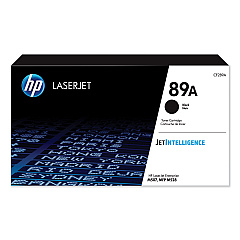
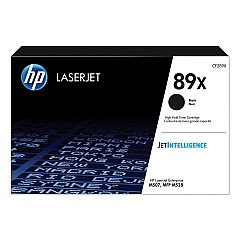
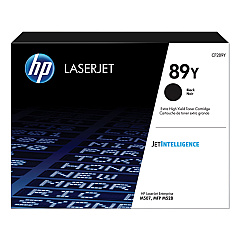
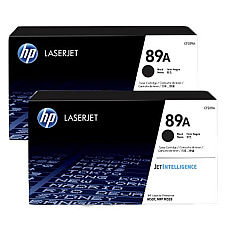
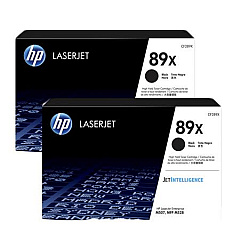
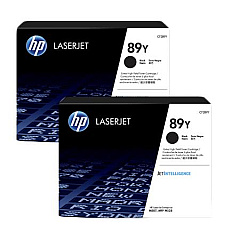
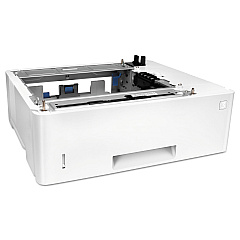
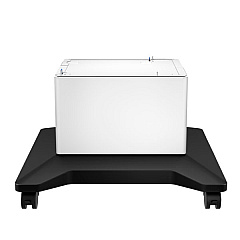
Maximize your printing efficiency with genuine HP LaserJet Enterprise M507 Toner Cartridges. These high-quality cartridges are designed to deliver exceptional results for businesses, schools, government offices, and healthcare facilities. Choose from a range of options, including the economical HP 89A Black Toner Cartridge 2-pack, the high-yield HP 89X, or the extra high-yield HP 89Y for extensive printing needs. The CF289A, CF289X, and CF289Y cartridges offer varying capacities to suit your specific requirements. Enhance your printer's functionality with the F2A72A Paper Tray for increased paper capacity, the F2A73A Printer Cabinet for convenient storage, and the RM2-2585 Fuser Unit for consistent print quality. Trust in HP's reliable toner cartridges to produce sharp, professional documents while ensuring optimal performance of your LaserJet Enterprise M507 printer.

HP LaserJet Enterprise M507 Printers Supplies FAQs

  • What is the page yield of the HP 89A Black Toner Cartridge?

    The HP 89A Black Toner Cartridge typically yields around 5,000 pages.

  • Are these toner cartridges compatible with other HP LaserJet models?

    These cartridges are specifically designed for the HP LaserJet Enterprise M507 series. Always check your printer's compatibility before purchasing.

  • What's the difference between the 89A, 89X, and 89Y cartridges?

    The main difference is the page yield. 89A is standard capacity, 89X is high-yield, and 89Y is extra high-yield, offering progressively more prints per cartridge.

  • How often should I replace the fuser unit?

    The fuser unit typically needs replacement after 150,000 to 200,000 pages, but this can vary based on usage and print environment.

  • Can I use non-HP toner cartridges in my LaserJet Enterprise M507?

    While third-party cartridges may work, HP recommends using genuine HP toner cartridges for optimal print quality and printer performance.

  • What's the benefit of buying toner cartridges in a 2-pack?

    Purchasing toner cartridges in a 2-pack often provides cost savings compared to buying individual cartridges and ensures you have a replacement on hand.

  • How many sheets can the F2A72A Paper Tray hold?

    The HP F2A72A Paper Tray can hold up to 550 sheets of paper, increasing your printer's total capacity.

  • Is the F2A73A Printer Cabinet necessary for the M507 printer?

    The printer cabinet is not necessary but provides convenient storage for supplies and elevates the printer for easier access.

  • How do I know when it's time to replace my toner cartridge?

    Your printer will typically alert you when toner is low. You may also notice a decrease in print quality or faded prints.

  • Are these toner cartridges environmentally friendly?

    HP toner cartridges are designed with the environment in mind and can be recycled through HP's Planet Partners program.

Warehouse Locations

Policy & Agreement | Copyright © 1995-2026 BlueDogInk.com
