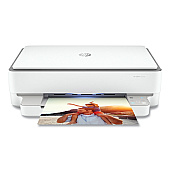





HP ENVY 6055e Black Ink Cartridges

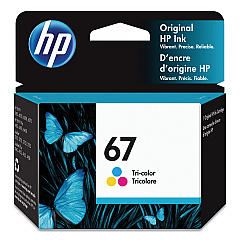
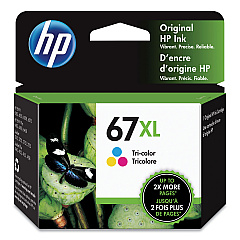
HP ENVY 6055e Color Ink Cartridges

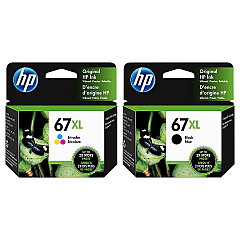
HP ENVY 6055e Ink Set

Keep your HP ENVY 6055e printer running smoothly with genuine HP ENVY 6055e Ink Cartridges from BlueDogInk.com. Our selection includes the HP 3YM55AN Tri-Color Ink Cartridge, HP 3YM56AN Black Ink Cartridge, HP 3YM57AN Black Ink Cartridge, and HP 3YM58AN Tri-Color Ink Cartridge. For high-volume printing needs, we offer the HP 67XL Black/Tri-Color High Yield Ink Cartridge in a convenient 2-pack. These cartridges are designed to deliver crisp text and vibrant colors, ensuring professional-quality prints every time. Whether you're printing documents for business, school projects, or personal use, our HP ENVY 6055e Ink Cartridges provide reliable performance and long-lasting results. Trust BlueDogInk.com for all your printing needs and experience the difference that genuine HP ink cartridges can make in your printing quality and efficiency.

HP ENVY 6055e Ink Cartridges FAQs

  • What ink cartridges are compatible with the HP ENVY 6055e printer?

    The HP ENVY 6055e printer is compatible with HP 3YM55AN, HP 3YM56AN, HP 3YM57AN, HP 3YM58AN, and HP 67XL ink cartridges.

  • How long do HP ENVY 6055e ink cartridges typically last?

    The lifespan of ink cartridges varies depending on usage, but standard cartridges typically last for 200-300 pages, while high-yield cartridges can print up to 400-500 pages.

  • Can I use third-party ink cartridges in my HP ENVY 6055e printer?

    While third-party cartridges may work, using genuine HP ink cartridges is recommended for optimal print quality and to maintain your printer's warranty.

  • What's the difference between standard and high-yield ink cartridges?

    High-yield cartridges contain more ink and can print more pages than standard cartridges, making them more cost-effective for high-volume printing.

  • How do I install new ink cartridges in my HP ENVY 6055e printer?

    To install new cartridges, open the printer's front cover, wait for the carriage to move to the center, remove the old cartridges, and insert the new ones until they click into place.

  • Are HP ENVY 6055e ink cartridges recyclable?

    Yes, HP offers a free recycling program for used ink cartridges. You can return them to HP or participating retailers for proper recycling.

  • How can I tell if my HP ENVY 6055e ink cartridges are genuine?

    Genuine HP cartridges have a holographic security label and a unique QR code that can be scanned to verify authenticity.

  • Can I use black ink only if my color cartridge is empty?

    Yes, the HP ENVY 6055e printer allows you to print using only the black cartridge if the color cartridge is empty or removed.

  • How should I store unused HP ENVY 6055e ink cartridges?

    Store unused cartridges in their original sealed packaging at room temperature, away from direct sunlight and heat sources.

  • What should I do if my HP ENVY 6055e printer doesn't recognize a new ink cartridge?

    Try removing and reinserting the cartridge, cleaning the cartridge contacts, or running the printer's alignment process. If issues persist, contact HP support for assistance.

Warehouse Locations

Policy & Agreement | Copyright © 1995-2026 BlueDogInk.com
