




Ads

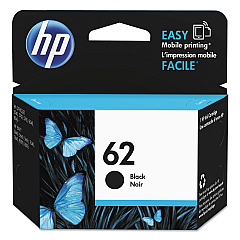
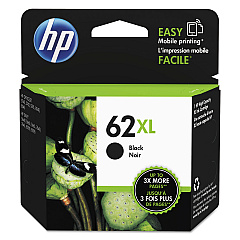
HP Envy 5660 e-AiO Black Ink Cartridges

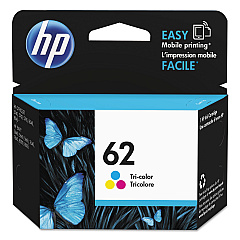
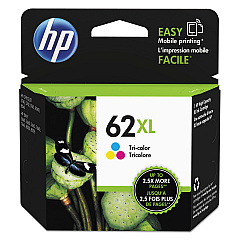
HP Envy 5660 e-AiO Color Ink Cartridges

Enhance your printing experience with genuine HP Envy 5660 e-AiO Ink Cartridges. These high-quality cartridges ensure crisp text and vibrant colors for all your printing needs. Compatible with the HP Envy 5660 e-All-in-One printer, this range includes the HP C2P04AN and C2P05AN Black Ink Cartridges for sharp monochrome prints, as well as the HP C2P06AN and C2P07AN Color Ink Cartridges for stunning full-color documents and photos. These cartridges are designed to work seamlessly with your printer, delivering consistent, professional-quality results every time. Whether you're printing important business documents, school projects, or cherished family photos, these ink cartridges provide reliable performance and long-lasting prints. Choose HP Envy 5660 e-AiO Ink Cartridges for exceptional print quality and value, backed by HP's reputation for excellence in printing technology.

HP Envy 5660 e-AiO Printers Supplies FAQs

  • What is the difference between HP C2P04AN and C2P05AN Black Ink Cartridges?

    The main difference is the ink capacity. C2P05AN typically has a higher page yield than C2P04AN.

  • Are these ink cartridges compatible with other HP printers?

    These cartridges are specifically designed for the HP Envy 5660 e-AiO printer. Always check your printer's compatibility before purchasing.

  • How long do these ink cartridges typically last?

    The lifespan of ink cartridges varies depending on usage, but on average, they can last several months with regular use.

  • Can I use third-party ink cartridges instead of genuine HP cartridges?

    While third-party cartridges may work, using genuine HP cartridges ensures optimal print quality and prevents potential damage to your printer.

  • How do I install these ink cartridges?

    Simply open your printer's ink cartridge access door, remove the old cartridge, and insert the new one until it clicks into place.

  • Are these cartridges recyclable?

    Yes, HP offers a recycling program for used ink cartridges. Check HP's website for details on how to recycle them.

  • What should I do if my printer doesn't recognize the new cartridge?

    Try removing and reinserting the cartridge, cleaning the contacts, or updating your printer's firmware. If issues persist, contact HP support.

  • Can I buy these cartridges in bulk?

    Yes, many retailers offer multi-packs or bulk purchasing options for these ink cartridges.

  • How can I extend the life of my ink cartridges?

    Print in draft mode when possible, maintain your printer regularly, and avoid leaving the printer unused for long periods.

  • Do these cartridges come with a warranty?

    Yes, genuine HP ink cartridges typically come with a warranty. Check the packaging or HP's website for specific warranty information.

Warehouse Locations

Policy & Agreement | Copyright © 1995-2026 BlueDogInk.com
