




HP Envy 4502 Ink - Color, Black & Tri-Color HP 61 Ink Cartridges & Supplies

Ads

HP Envy 4502 Black Ink Cartridges

HP Envy 4502 Color Ink Cartridges

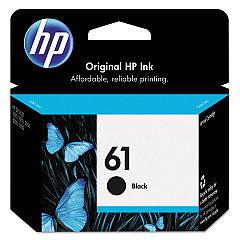
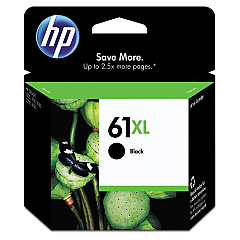
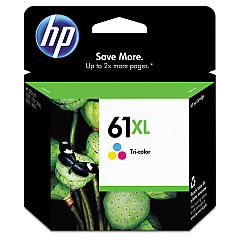
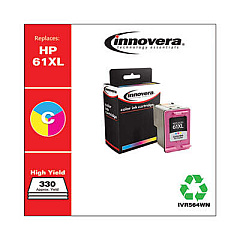
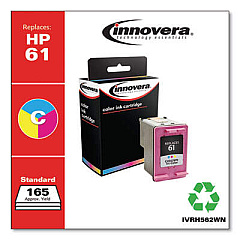
Keep your HP Envy 4502 printer running smoothly with our high-quality HP Envy 4502 Ink Cartridges. We offer a range of genuine HP ink cartridges, including the HP CH561WN Black Ink Cartridge and HP CH562WN Tricolor Ink Cartridge for standard printing needs. For those requiring higher yield options, we also stock the HP CH563WN Black Ink Cartridge and HP CH564WN Tricolor Ink Cartridge. These cartridges are designed to deliver crisp text and vibrant colors, ensuring professional-quality prints every time. Whether you're printing important documents for your business, educational materials for your classroom, or patient records in a healthcare setting, our HP Envy 4502 Ink Cartridges provide reliable performance and exceptional print quality. Trust in our genuine HP ink supplies to keep your printer operating at its best, minimizing downtime and maximizing productivity across various professional environments.

HP Envy 4502 Ink - Color, Black & Tri-Color HP 61 Ink Cartridges & Supplies FAQs

  • What ink does a HP ENVY 4502 use?

    HP 61 Original Ink Cartridges are the only compatible ink cartridges for the HP Envy 4502. They come in black and tri-color packs and HP 61XL cartridges are high yield versions that also work with your printer.

  • Are these ink cartridges compatible with other HP printers?

    While these cartridges are designed for the HP Envy 4502, they may be compatible with other HP printer models. Please check your printer's manual or our website for a full list of compatible printers.

  • How long does HP 61 ink last?

    A standard black HP 61 cartridge prints approximately 180 pages and a standard tri-color cartridge prints 150 color pages. The HP 61XL black offers a page yield of 455 pages and the HP 61XL color offers 310 pages.

  • What's the difference between standard and high-yield cartridges?

    High-yield cartridges (CH563WN and CH564WN) contain more ink and can print more pages than standard cartridges (CH561WN and CH562WN), making them more economical for frequent printing.

  • What is the difference between HP 61 and HP61XL?

    The difference between the HP 61 and HP 61XL is that the HP 61 XL provides more than twice as much ink. Your HP Envy 4502 is compatible with the HP 61 ink cartridges and the HP 61 XL ink cartridges.

  • How many pages can I expect to print with these cartridges?

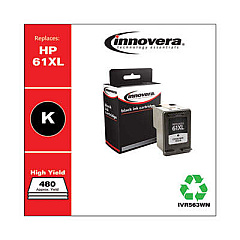
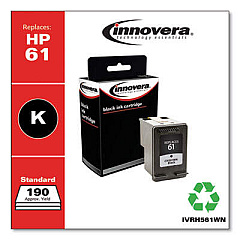
    Page yield varies depending on the specific cartridge and your printing habits. On average, standard black cartridges yield about 190 pages, while high-yield black cartridges can print up to 480 pages.

  • How do I put ink in my HP Envy 4502?

    First , press the Power button to turn on the printer, if it is not already on. Open the scanner lid. Open the cartridge access door. The carriage will move to the cartridge access area. Wait until the carriage is idle and silent before you continue. To release the cartridge, lift the lid on the cartridge slot, and then gently push the lid back until it releases the cartridge. Pull straight up on the cartridge to remove it from the slot. Remove the new cartridge from its packaging, and remember to pull the pull tab to remove the plastic tape. Hold the cartridge with the cartridge contacts facing the back of the printer, and then slide the cartridge into the correct slot. Close the lid on the cartridge slot to secure the cartridge into place.

  • Are these genuine HP cartridges?

    Yes, all ink cartridges sold on our website are genuine HP products, ensuring optimal performance and print quality.

  • Why is my HP Envy 4502 not printing color?

    If you're using 3rd party, or refurbished cartridges or ink that's advertised as “HP compatible”, we recommend you change it out for a genuine ink cartridge, this will often solve strange printing errors you might encounter. If you're already using authentic HP ink, try deleting and reinstalling the printer drivers on your computer.

  • How long do these ink cartridges last?

    Unopened cartridges typically have a shelf life of 24 months. Once installed, it's best to use the cartridge within 6 months for optimal print quality.

  • Can I use third-party ink cartridges in my HP Envy 4502?

    While third-party cartridges may work, we recommend using genuine HP cartridges to ensure the best print quality and to maintain your printer's warranty.

  • How do I install these ink cartridges?

    Installation is simple. Open your printer's ink cartridge access door, remove the old cartridge, insert the new one, and close the access door. Your printer should recognize the new cartridge automatically.

  • Do you offer any bulk purchase discounts?

    Yes, we offer discounts on bulk purchases. Please contact our customer service team for more information on volume pricing.

  • What's your return policy for ink cartridges?

    We accept returns of unopened, undamaged cartridges within 30 days of purchase. Please contact our customer service team to initiate a return.

  • How quickly will I receive my order?

    Shipping times vary depending on your location and chosen shipping method. Most orders are processed within 1-2 business days, with delivery typically taking 3-5 business days.

Warehouse Locations

Policy & Agreement | Copyright © 1995-2026 BlueDogInk.com
