




Ads

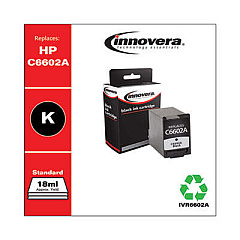
HP Deskjet F2110 All-in-One Black Ink Cartridges

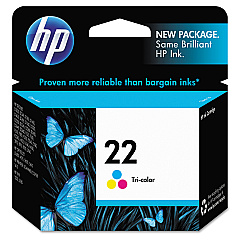
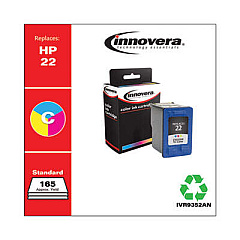
HP Deskjet F2110 All-in-One Color Ink Cartridges

Enhance your printing experience with genuine HP Deskjet F2110 All-in-One Ink Cartridges. These high-quality cartridges are designed specifically for your HP Deskjet F2110 All-in-One printer, ensuring optimal performance and stunning results. The HP C9351AN Black Ink Cartridge delivers crisp, clear text and sharp lines, perfect for professional documents and everyday printing needs. For vibrant color prints, the HP C9352AN Tricolor Ink Cartridge produces rich, lifelike hues that bring your photos and graphics to life. These cartridges are easy to install and offer reliable, consistent output, making them ideal for home offices, small businesses, and educational institutions. With HP Deskjet F2110 All-in-One Ink Cartridges, you can count on superior print quality, long-lasting results, and cost-effective printing solutions that meet your diverse needs.

HP Deskjet F2110 All-in-One Printers Supplies FAQs

  • How long do HP Deskjet F2110 All-in-One Ink Cartridges typically last?

    The lifespan of ink cartridges varies depending on usage, but on average, they can last for 200-300 pages for black ink and 150-200 pages for color ink.

  • Are these cartridges compatible with other HP printer models?

    These cartridges are specifically designed for the HP Deskjet F2110 All-in-One printer. Always check your printer's compatibility before purchasing ink cartridges.

  • Can I use third-party ink cartridges in my HP Deskjet F2110 All-in-One printer?

    While third-party cartridges may work, using genuine HP cartridges ensures the best print quality and helps maintain your printer's warranty.

  • How do I install the ink cartridges in my HP Deskjet F2110 All-in-One printer?

    Open the printer's front cover, wait for the cartridge holder to move to the center, remove the old cartridge, insert the new one, and close the cover. The printer will automatically align the cartridges.

  • What should I do if my printer doesn't recognize the new ink cartridge?

    Try removing and reinserting the cartridge, cleaning the cartridge contacts, or running the printer's alignment process. If issues persist, contact HP support.

  • Can I recycle used HP ink cartridges?

    Yes, HP offers a free recycling program for used ink cartridges. Visit their website or check with local office supply stores for recycling options.

  • How can I extend the life of my ink cartridges?

    Print in draft mode for non-essential documents, avoid leaving your printer idle for long periods, and keep the print heads clean to maximize cartridge life.

  • What's the difference between the black and tricolor cartridges?

    The black cartridge (C9351AN) contains only black ink, while the tricolor cartridge (C9352AN) contains cyan, magenta, and yellow inks for color printing.

  • Can I buy these cartridges in bulk?

    Yes, many retailers offer multi-packs or bulk purchasing options for HP Deskjet F2110 All-in-One Ink Cartridges, which can be more cost-effective for high-volume users.

  • How do I know when it's time to replace my ink cartridges?

    Your printer will display a low ink warning. You may also notice a decrease in print quality or faded text and images, indicating it's time for a replacement.

Warehouse Locations

Policy & Agreement | Copyright © 1995-2026 BlueDogInk.com
